Flowlink Cipher 1.9
This section describes all changes made to the application in the 1.9 series of releases.
1.9.3
November 2025
Enhancements
Flowlink Cipher
API | |
| Data Export v2 in the Cipher API now requires the input of start_time and end_time parameters defining the time range of data to be exported. |
Dashboard | |
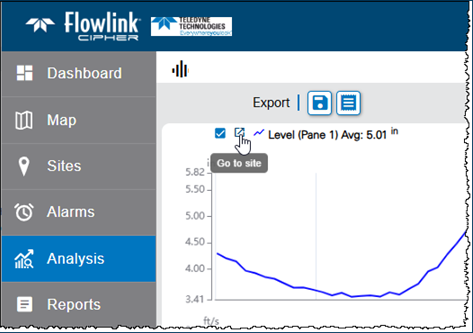
| A new 'Go to site' symbol is available in the legend in site and graph gadgets, which can be used to jump to the site information screen of the relevant dataset.
|
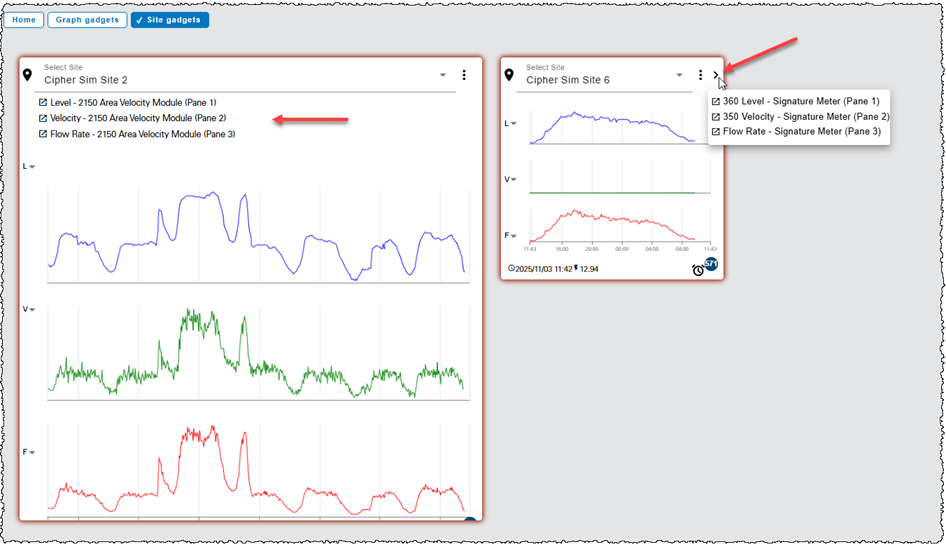
| The Site gadget on the Dashboard now has a legend. The legend can be accessed by clicking the arrow button in the upper-right corner of the gadget or by expanding the gadget until it is large enough that the legend will appear under the name of the site.
|
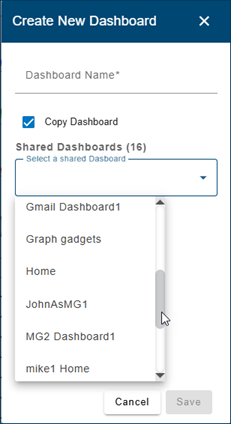
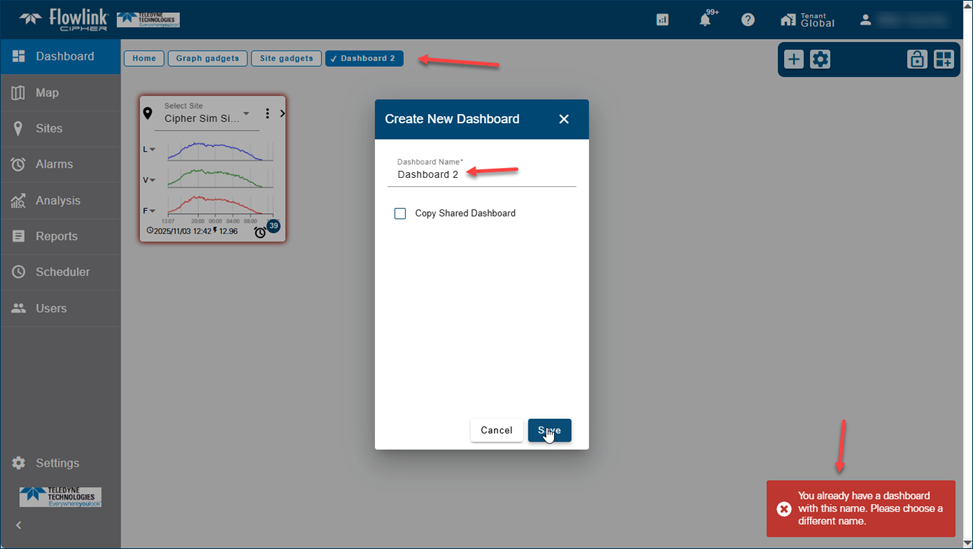
| The Create New Dashboard function now checks for duplicate dashboard names. The user is no longer able to create duplicate dashboard names.
|
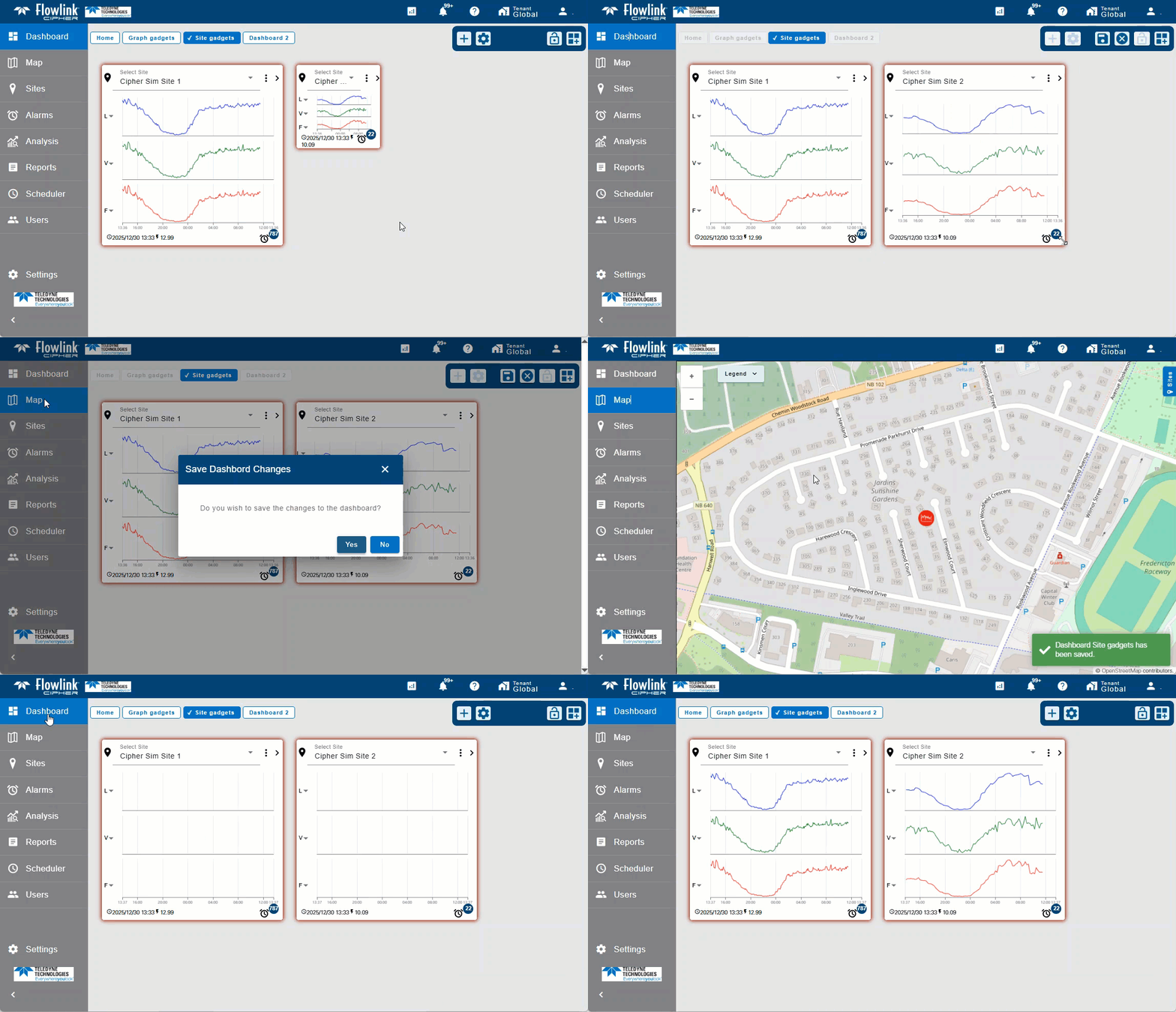
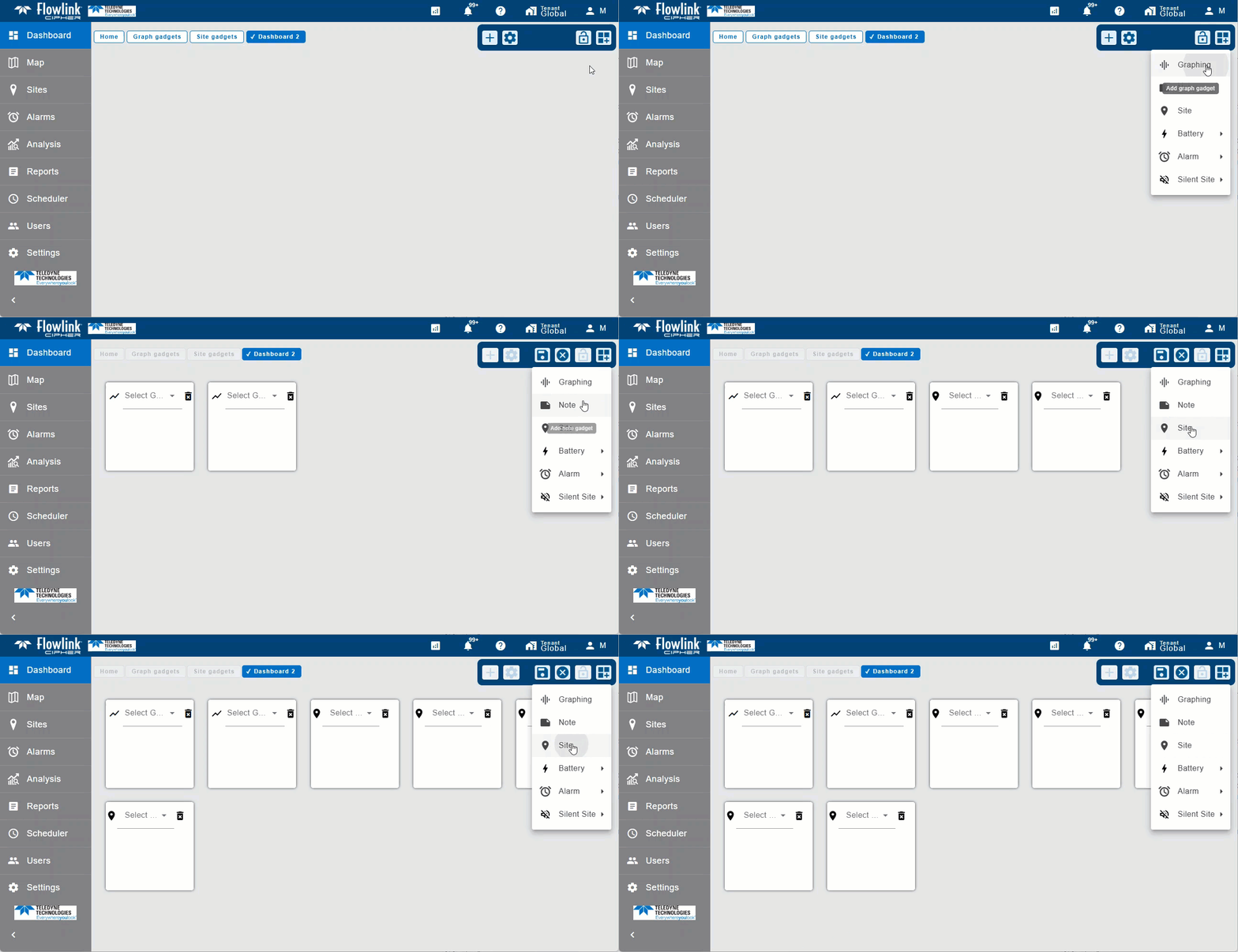
| The 'Add gadget' function on the Dashboard toolbar will now remain visible after adding a new gadget, allowing the user to add multiple gadgets with each click in the gadget menu.
|
Graphs | |
| A new 'Go to site' symbol is available in the legend on a graph, which can be used to jump to the site information screen of the relevant dataset.
|
Map | |
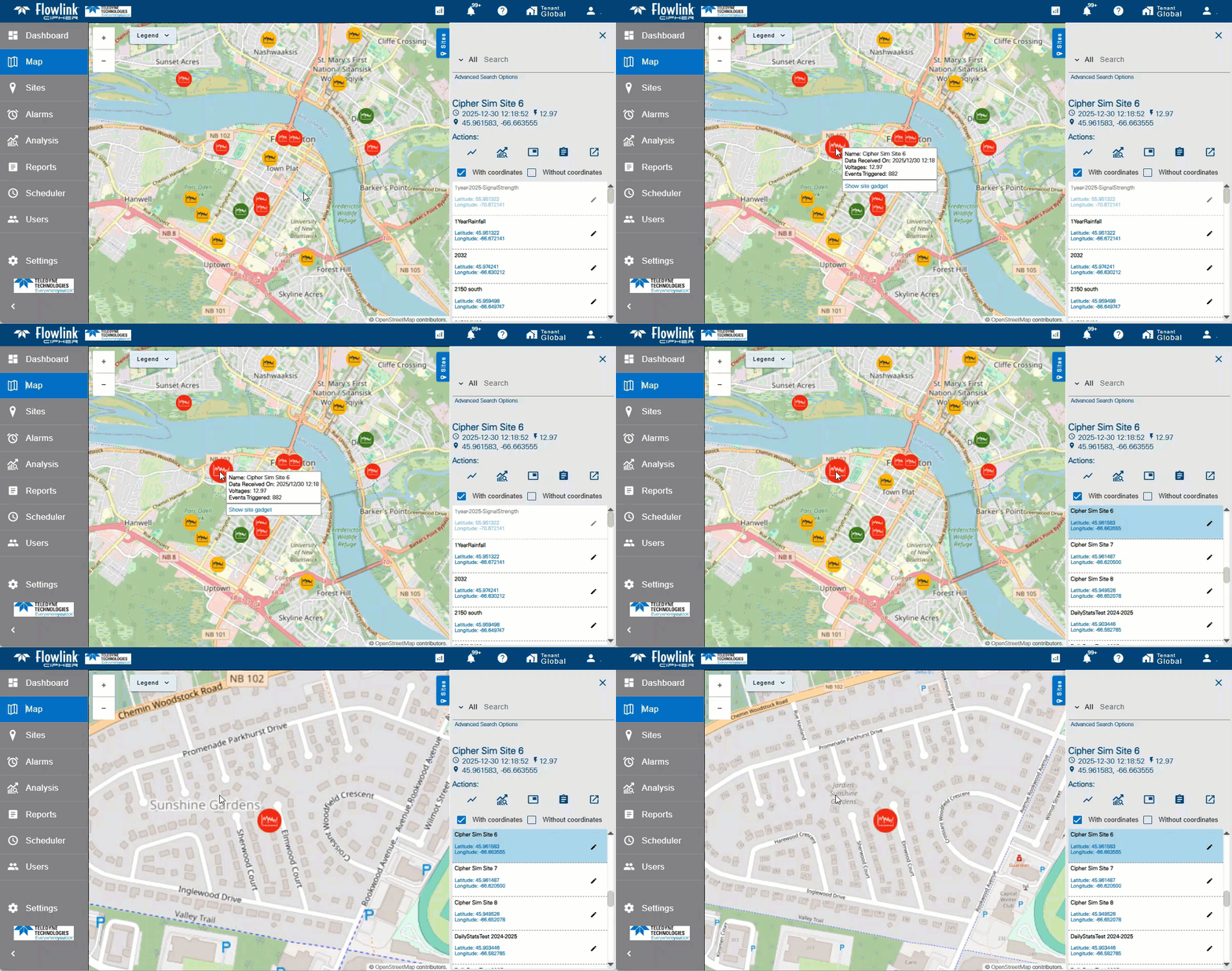
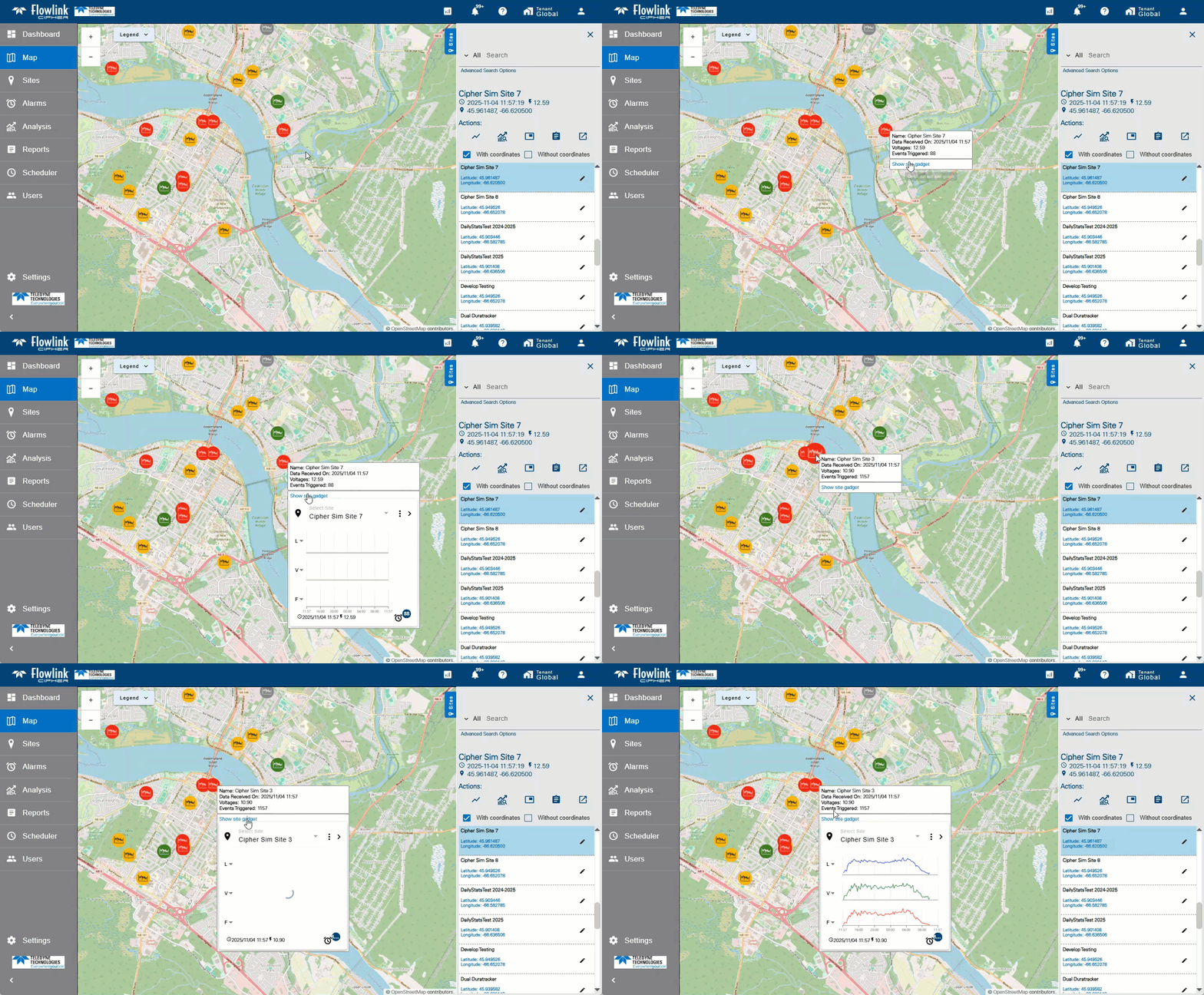
| The Site gadget is now available on the Map screen. Hover the cursor over the site symbol to display the information tooltip for the site, then click the 'Show site gadget' link in the tooltip. The site gadget will appear. The ellipsis button in the upper-right corner of the gadget can then be used to access the site gadget menu with the following functions: Change Period, Go to Site, and Graph from Site.
|
Sites | |
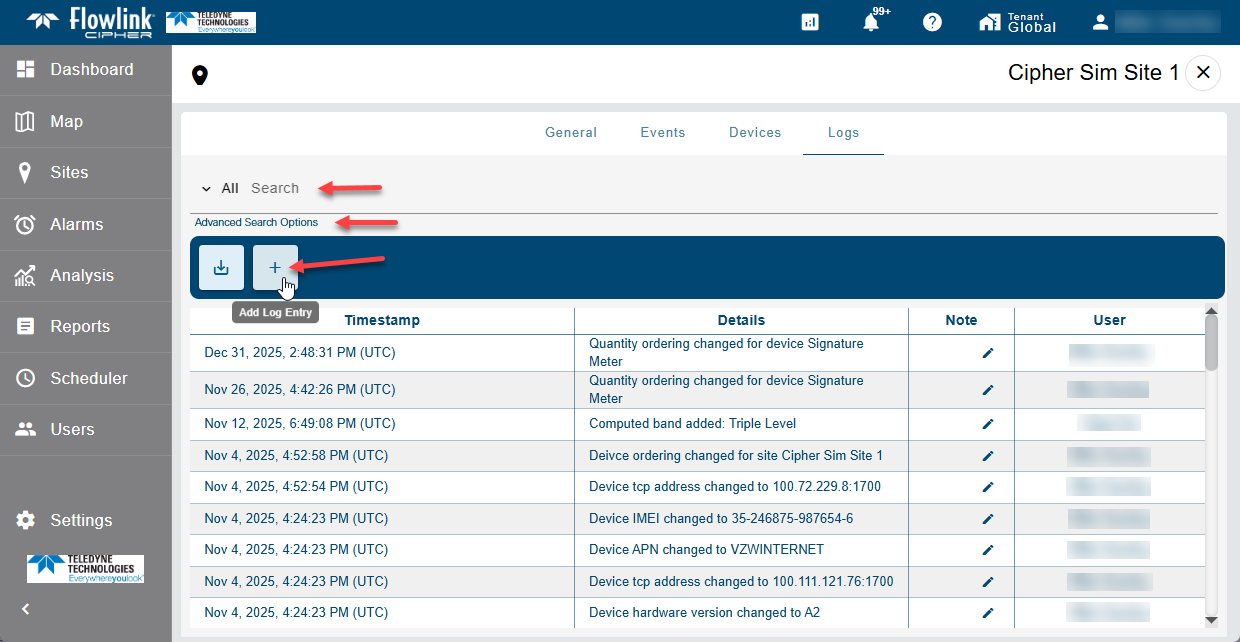
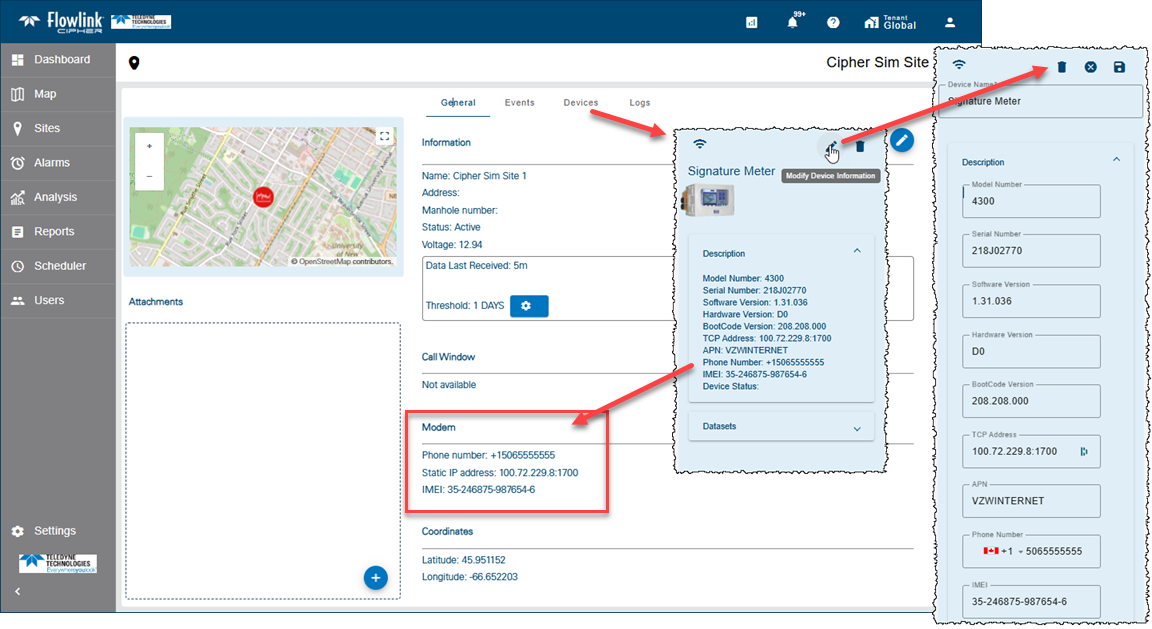
| Modem information has been added to the Device panel. New fields have been added to the Device panel: APN, Phone Number, IMEI. The APN and Phone Number fields, as well as other fields, may be populated by ingestion of the Program events. The IMEI field, like the other fields, can be manually edited. The fields related to the Modem information are then displayed on the General tab.
|
Tenants | |
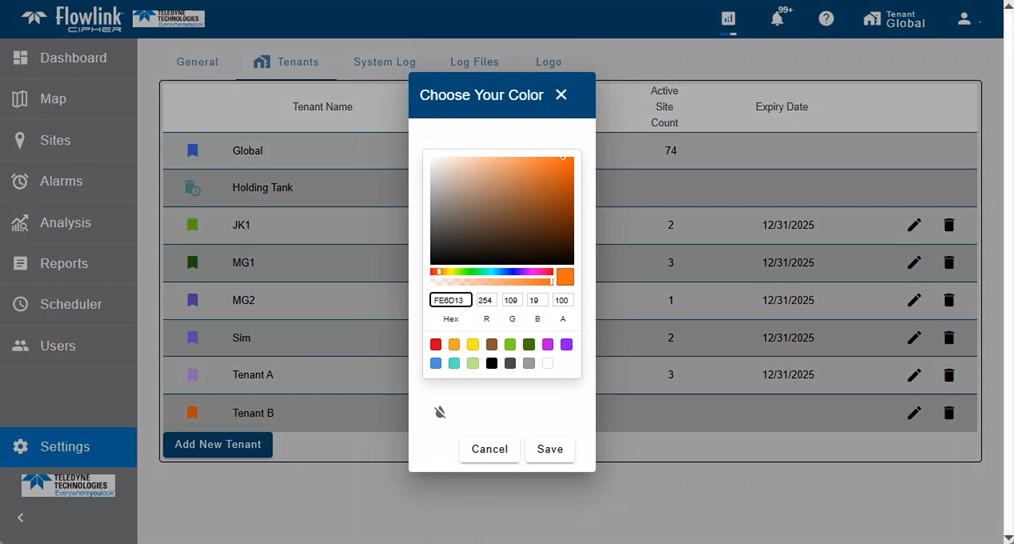
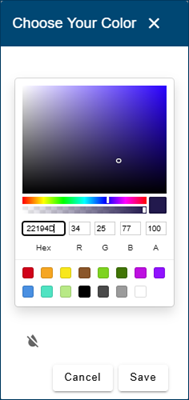
| The Settings > Tenants screen now has a new widget for selecting colors for the tenant. The widget provides RGBA and Hex color values, as well as a palette for selecting colors.
|
Maintenance
Flowlink Cipher
API | |
| The requestToken endpoint now returns only the token. |
| When exporting data to JSON format using the Data Export v2, the first datapoint was duplicated instead of each point exported. This has been fixed. |
| The Data Export v2 API previously would fail if the user did not provide a valid start or end date. This has been fixed. The API will now return data if either or both of the start and end dates are missing. |
| The site health data available from the API was not including the Serial Number, Model Number or TCP Address of the device even though the values were visible in the device card in the Cipher application. This has been fixed. |
Dashboard | |
| Selecting a different quantity to display in a site gadget was causing the legend in the gadget to be duplicated instead of updating with the new quantity. This has been fixed. |
Graphs | |
| When an existing graph using the Static or All time range was opened in the Configure Graph screen, if the Relative time range was then selected, the 'Custom' option would appear instead of the default 'Last 24 Hours'. This has been fixed. |
| Creating a graph with the Static time range option selected but no time range defined would put the graph into a bad state. This has been fixed. The 'Set' function on the calendar widget and the Create Graph function will now display the error message 'Static time range is not defined'.
|
User Accounts | |
| The last step of the 'Forgot Password' procedure previously required two clicks on the Change Password button. This was due to the button not being enabled when the new password was entered. This has been fixed. |
1.9.2
October 2025
Enhancements
Flowlink Cipher
Alarms | |
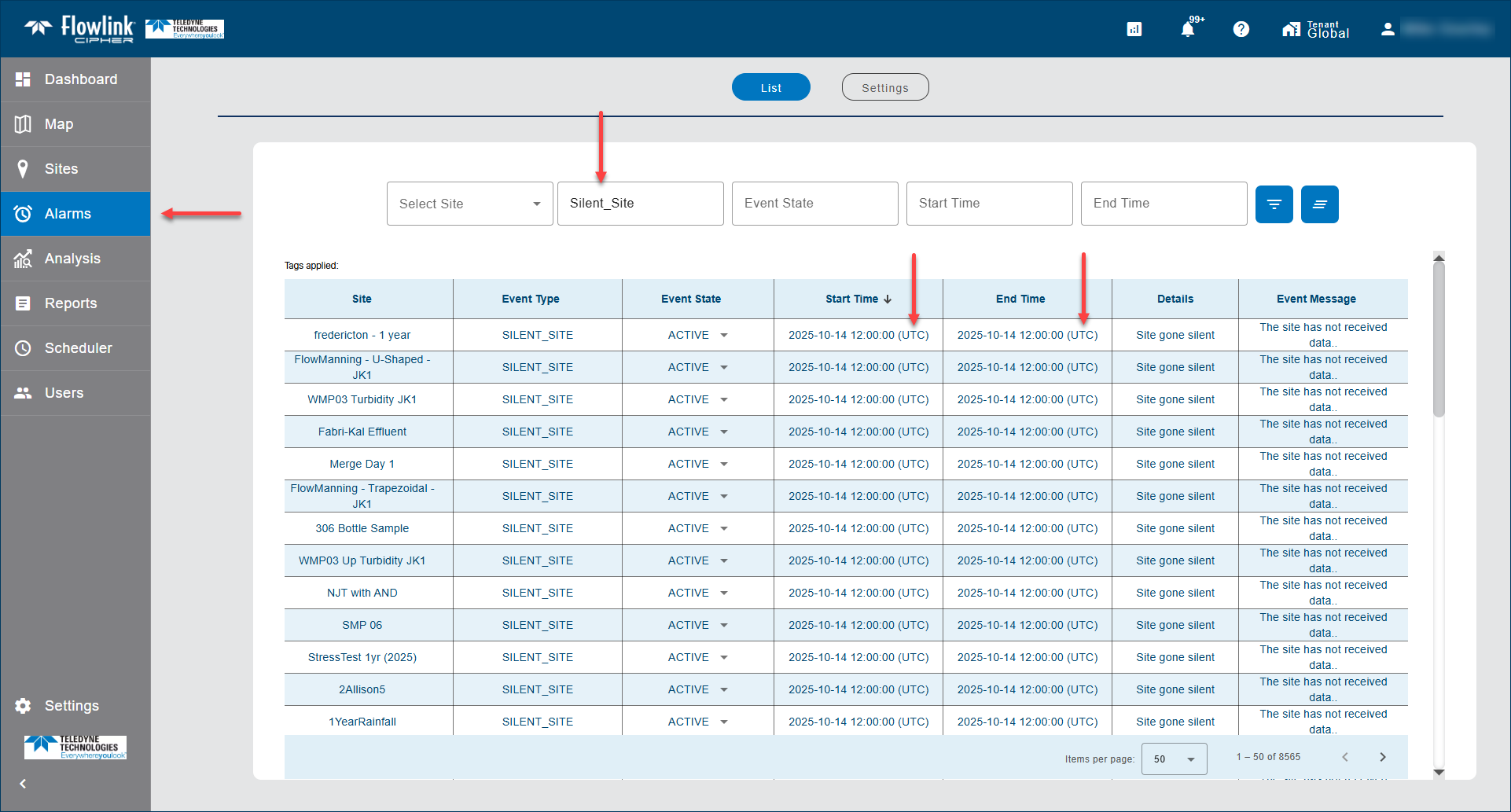
| The 'Start Time' and 'End Time' for Silent Site events are now clearly labeled as UTC timestamps. The timestamps for these events have always been UTC because they are generated by the clock of the server, which is referenced to UTC. The UTC label is visible in the Alarms screen and the Events tab of the site information screen.
|
Computed Datasets | |
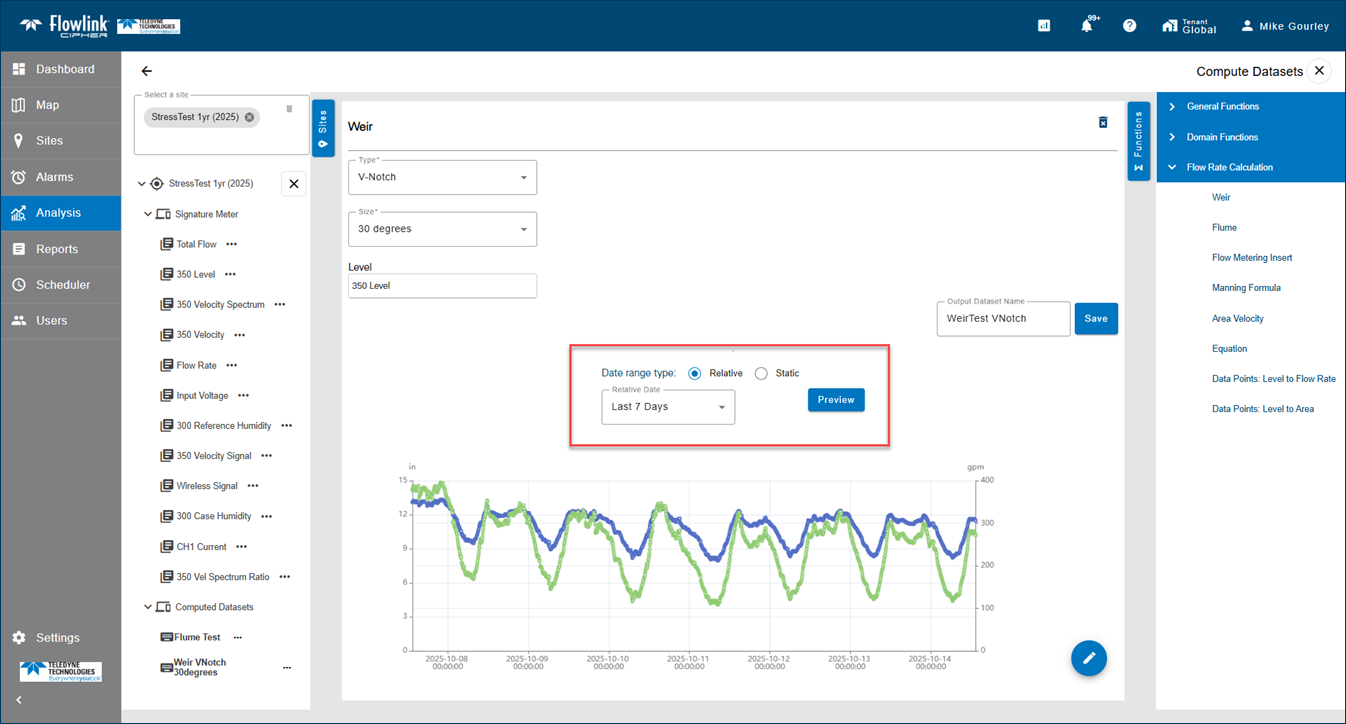
| The Compute Datasets forms have been updated to include new controls for the time range to Preview the result before saving the computed dataset. These time range controls have been added to all of the Compute Datasets functions.
|
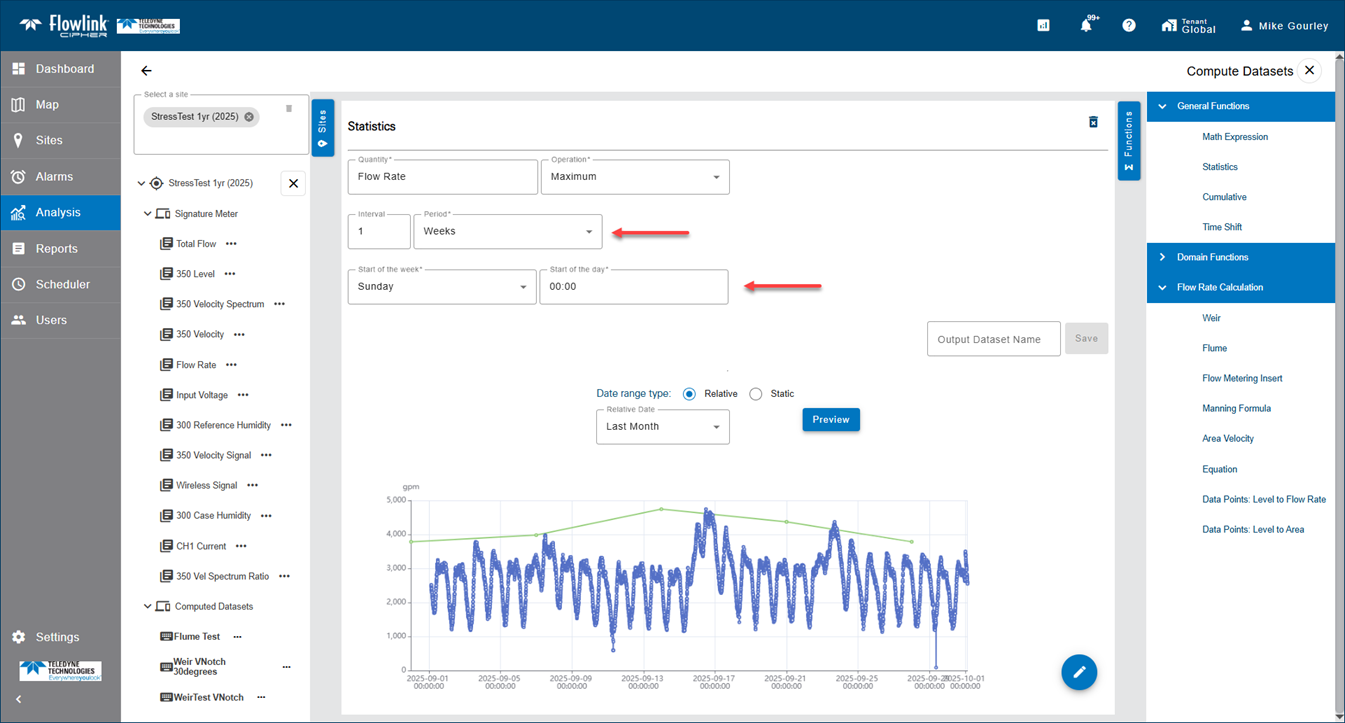
| The Statistics function has been updated to include the option 'Start of the day' when the Period value is set to Days. When the Period is set to Weeks, the options 'Start of the day' and 'Start of the week' are available.
|
Dashboard | |
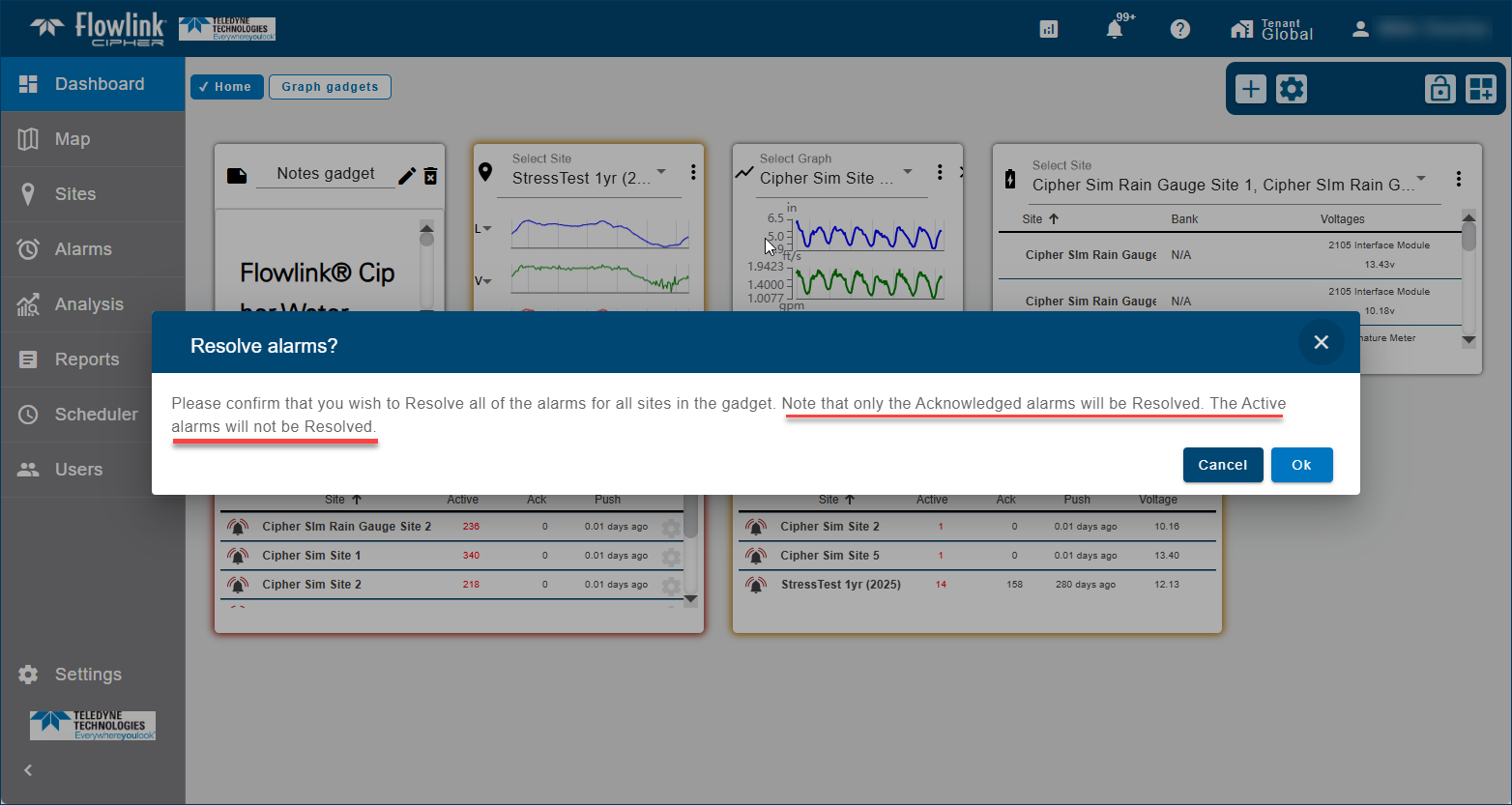
| The confirmation message triggered by the 'Resolve All Alarms' function has been updated to include a reminder that only the Acknowledged alarms will be resolved, and that Active alarms will not be resolved. This message change is applied to the Alarms and Silent Site gadgets.
|
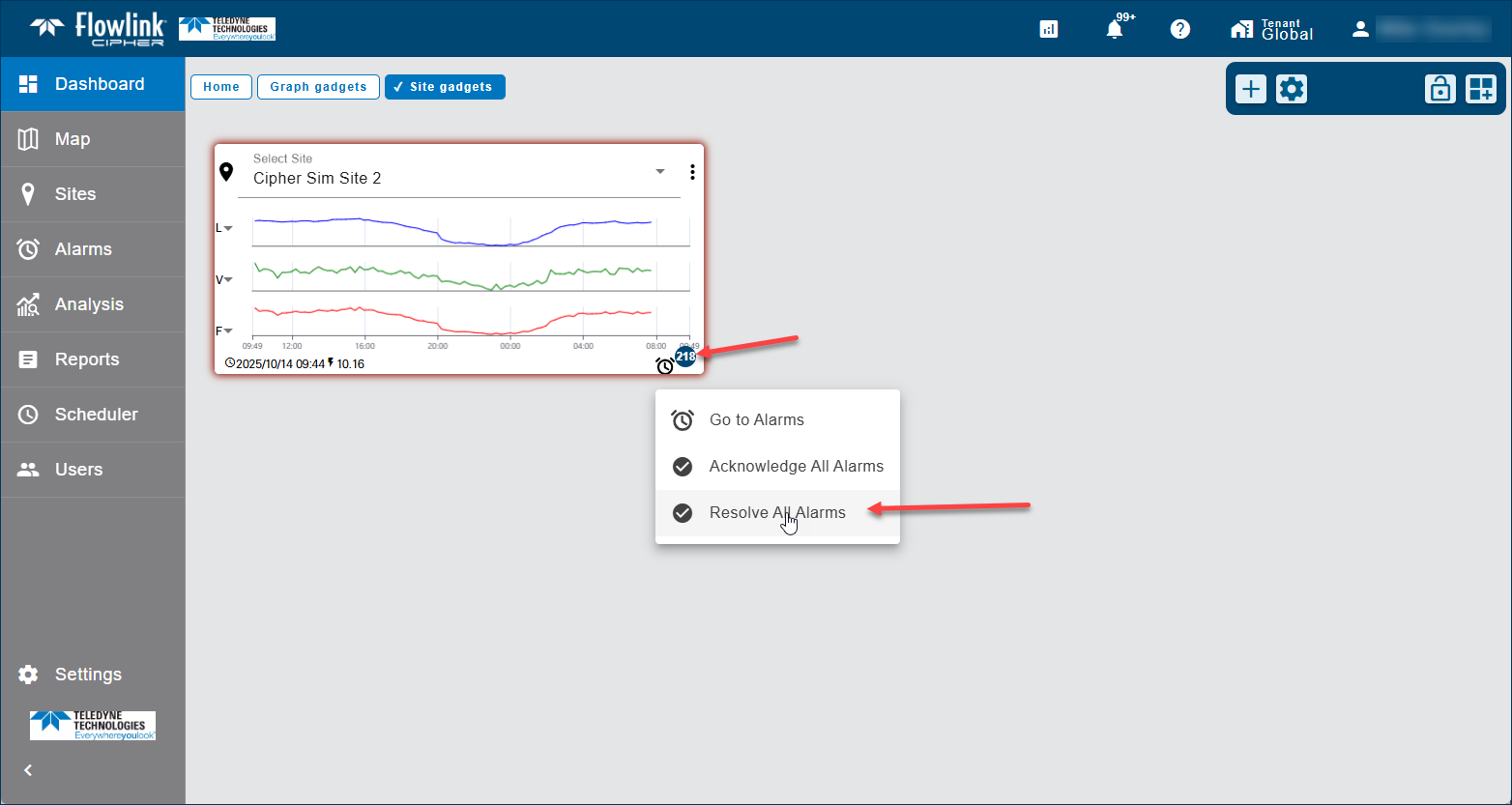
| The 'Resolve All Alarms' function has been added to the site gadget. To use this function, click the blue Alarms badge in the lower-right corner of the gadget to open the menu then select the function. This will resolve all of the alarms for the site that have been acknowledged. The alarms that are active will not be resolved as they first need to be acknowledged.
|
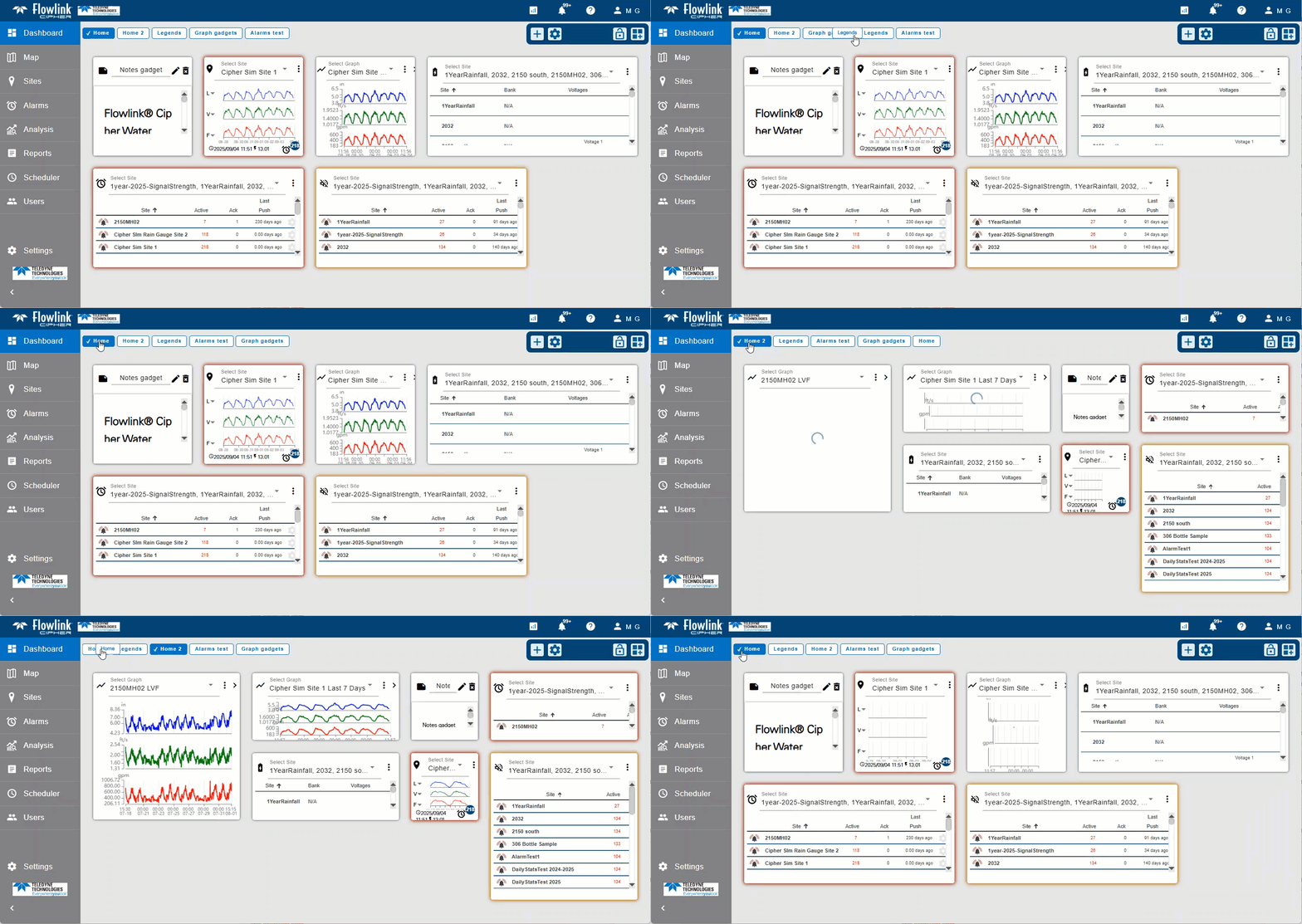
| A horizontal scroll bar will now appear under the dashboard buttons when there are dashboard buttons that become hidden by the dashboard toolbar.
|
User Accounts | |
| User accounts with the System Administrator role can now temporarily impersonate an account in a tenant. When the System Administrator selects a tenant to impersonate, the sites and events available to the System Administrator are limited to those that belong to the tenant. This allows the System Administrator to emulate an account in the tenant and therefore see and access the data available in the tenant. This feature can be useful to System Administrators for troubleshooting issues for users in tenants and for preparing data for users in tenants.
|
Maintenance
Flowlink Cipher
API | |
| The site health data available from the API was not including the Serial Number, Model Number or TCP Address of the device even though the values were visible in the device card in the Cipher application. This has been fixed. |
Computed Datasets | |
| When selecting the Edit function for an existing computed dataset, a prompt was being displayed asking the user to save changes to the graph when there were no unsaved changes. This has been fixed. |
Dashboard | |
| Sorting on the Active and Voltage columns is now working on the Alarms and Silent Site gadgets. |
| In the Manage Dashboards screen, deleting a dashboard when one of the filter options ("Show My Dashboards", "Show Shared", "Show Not Shared") was set was causing the filter options to be cleared when the table was updated to reflect the deletion. The filter options are now retained as the user edits and deletes dashboards in the Manage Dashboards table. |
Sites | |
| When site Tags are set in the Preferences tab of the User Profile page, the Tags will now appear as expected in the Sites screen under the search bar. Previously, the Tags preferences were in use, but not displayed. |
| Editing the Threshold value in the General tab of the site information screen now saves and displays correctly without requiring a refresh of the web browser. Previously, the Threshold change was recorded but not saved until the browser was refreshed. |
1.9.1
September 2025
Enhancements
Flowlink Cipher
Alarms | |
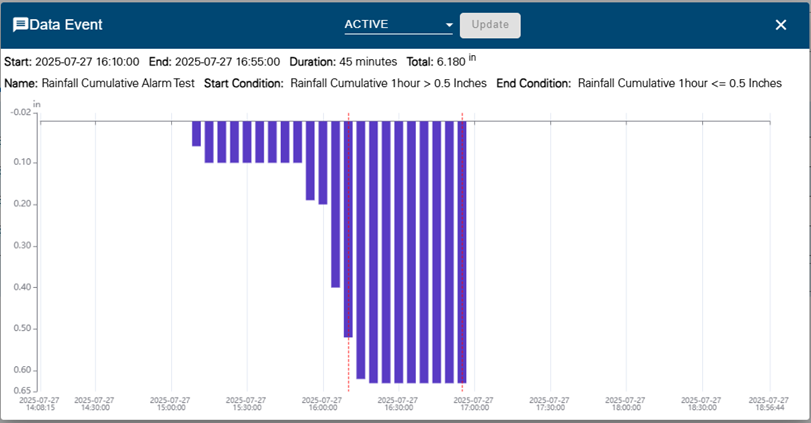
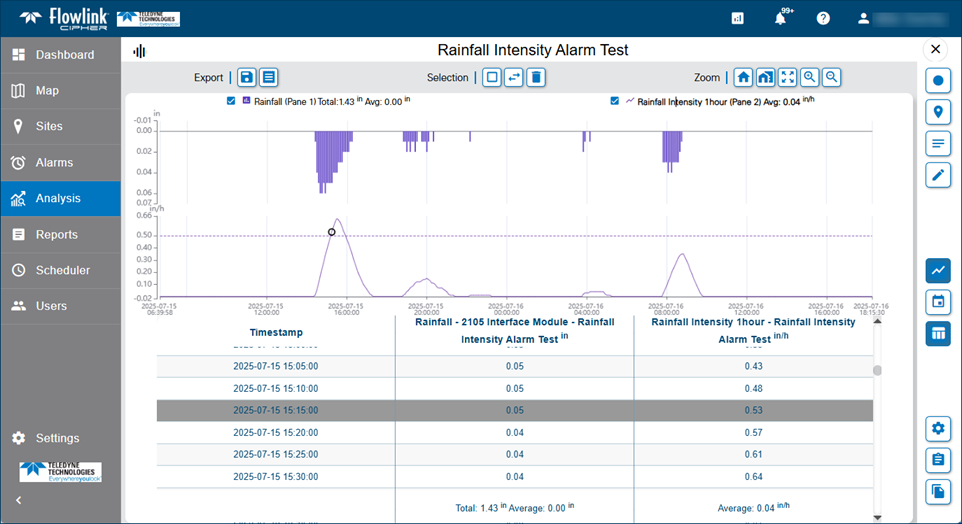
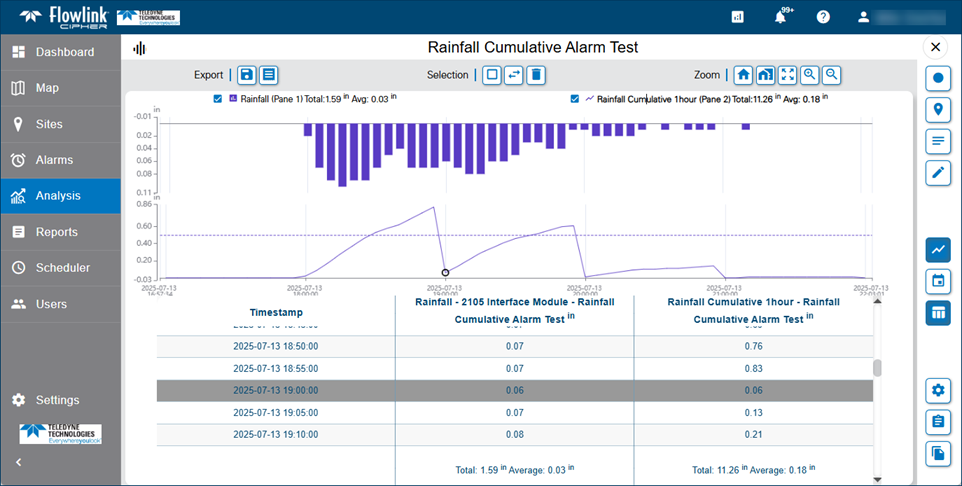
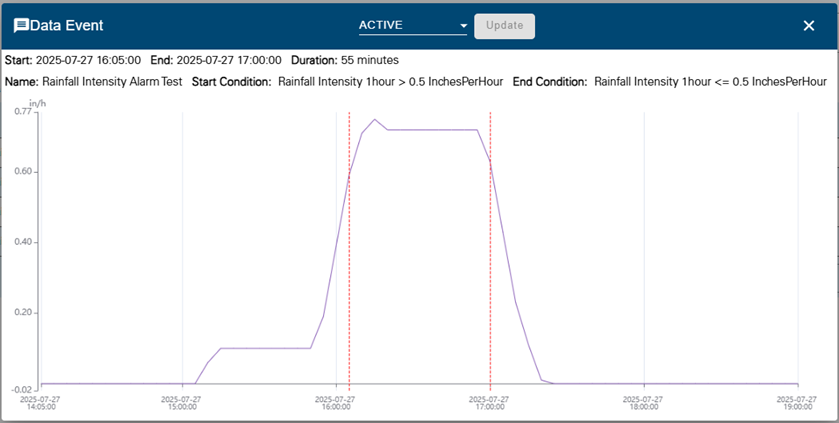
| The new Compute Dataset functions 'Rainfall Intensity' and 'Cumulative' can be used to create alarm settings to trigger data events.
|
Computed Datasets | |
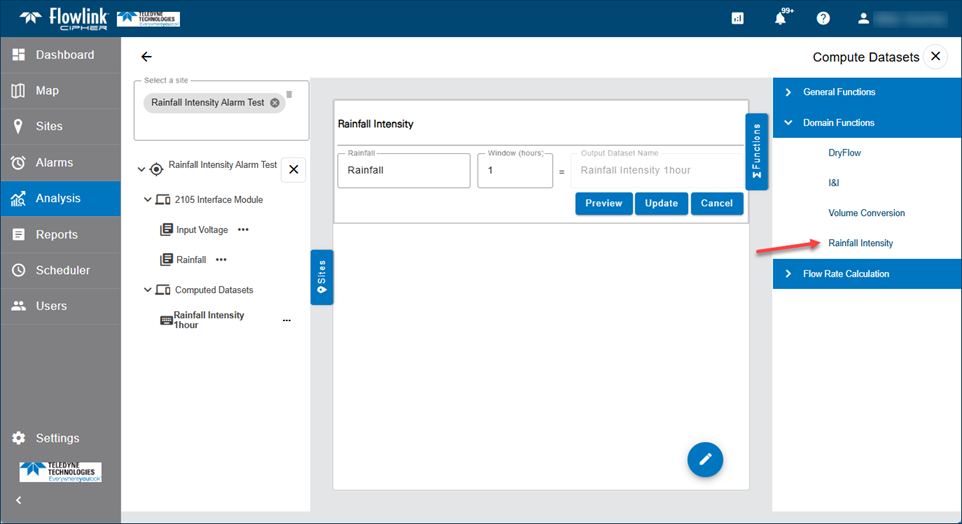
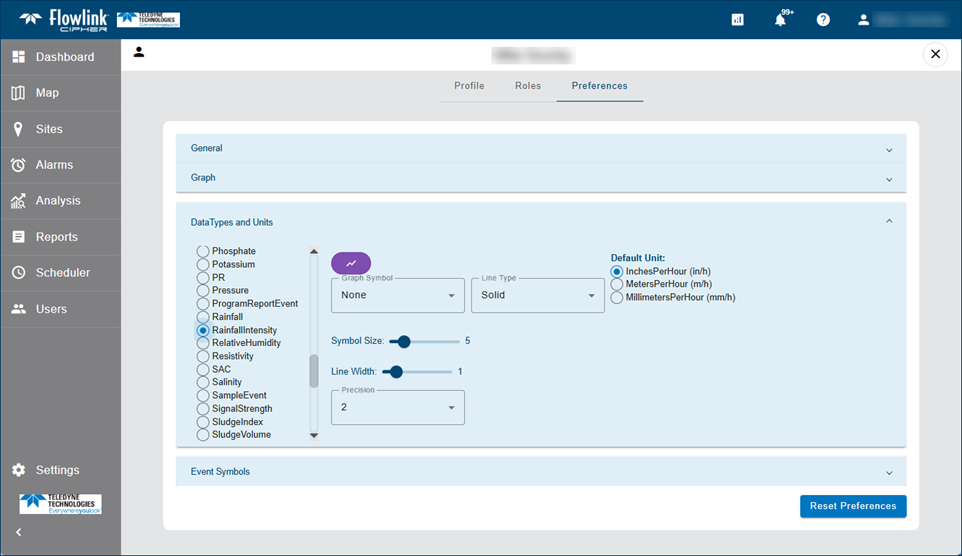
| A new function has been added to the computed datasets group of Domain Functions. 'Rainfall Intensity' takes as input a Rainfall type dataset and window of time in hours. The window size determines the amount of data points that are used to compute the rainfall intensity at each data point. The default window is 1 hour and the default unit is InchesPerHour (in/h).
|
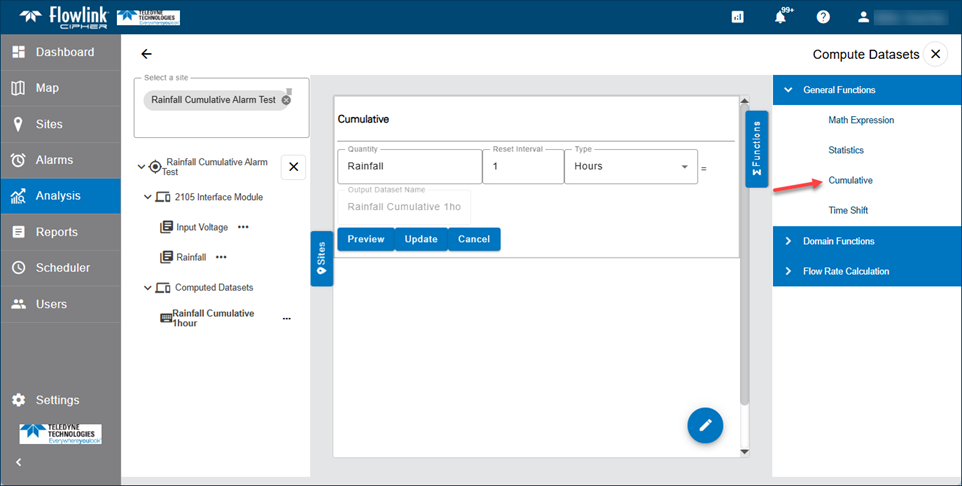
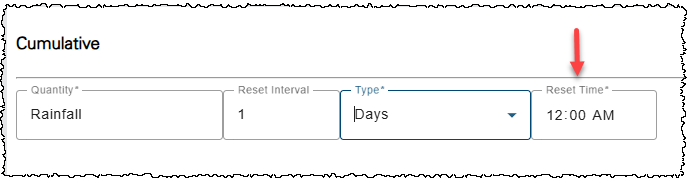
| A new function has been added to the computed datasets group of General Functions. 'Cumulative' takes as input a dataset such as Rainfall or Total Flow and a reset interval for the cumulative calculation.
|
Dashboard | |
| The Manage Dashboards pop-up dialog box now includes three new filter checkboxes: Show My Dashboards, Show Shared, Show Not Shared.
|
| The buttons on the Dashboard screen for switching between dashboards can now be re-ordered using the drag-and-drop technique with the mouse.
|
Reports | |
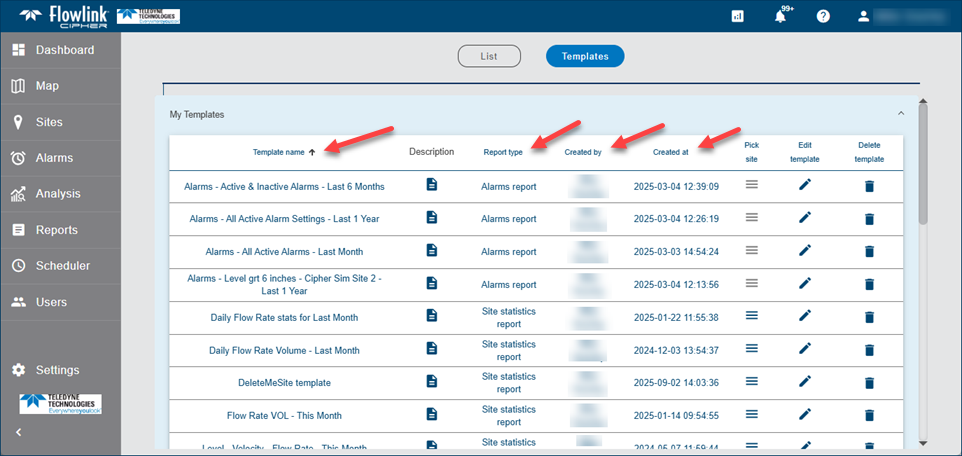
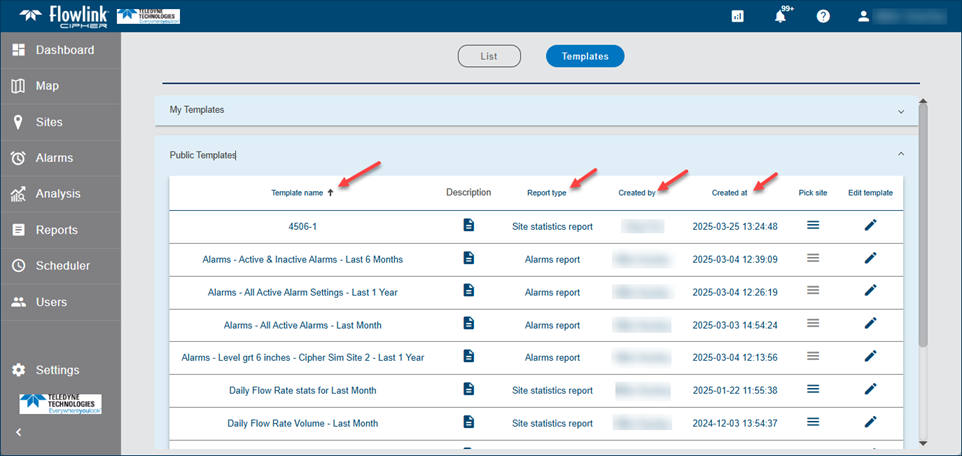
| The Reports > Templates panels for 'My Templates' and 'Public Templates' now provide sorting options for the tables of templates. To change the sort order, click the column headers for Template name, Report type, Created by, or Created at. Clicking the same heading again will switch from Ascending to Descending. The default order is Template name ascending.
|
Scheduler | |
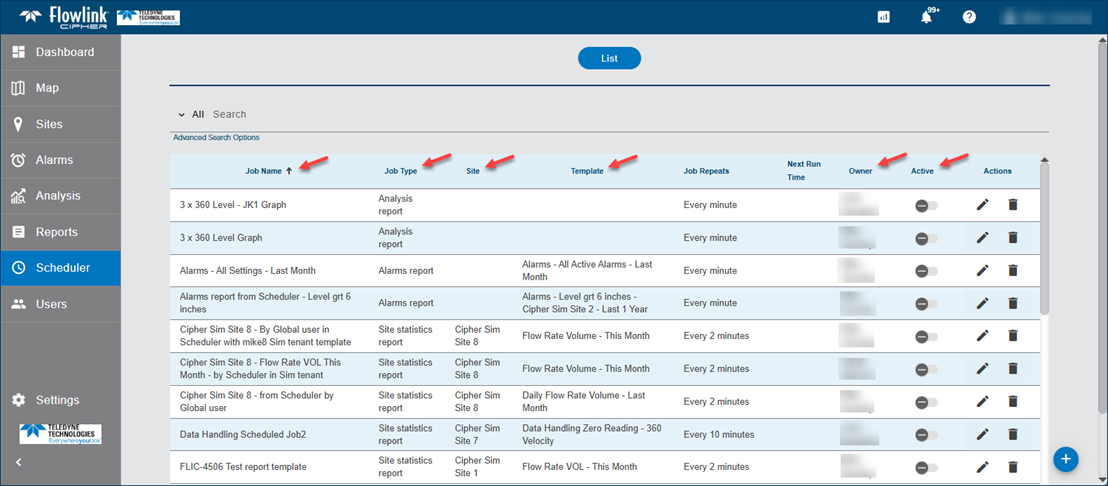
| The Scheduler table now provides sorting options. To change the sort order, click the column headers for Job Name, Job Type, Site, Template, Owner, or Active. Clicking a header a second time will also switch the order from Ascending to Descending.
|
Sites | |
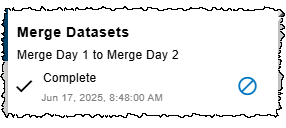
| The Sites > Merge function has been updated to generate only one job per execution. Previously, the function generated one job per quantity included in the Merge execution. As a result, the Jobs drop-down list now contains the one job indicating the Source and Destination sites instead of multiple jobs.
|
Maintenance
Flowlink Cipher
Dashboard | |
| Multiple repairs were made to the Notes gadget on the dashboard: |
Reports | |
| Previously, the reports visible in the Reports > List table for users in a tenant would, in some cases, include reports for sites from other tenants. This was caused by a scheduled job that was defined by a Global user with a report template that was original created in another tenant. This has been fixed. The reports generated by the Scheduler that are visible in the Reports > List table will now only include those that were generated by jobs created by users in the same tenant. |
| The 'Select Site' filter on the Reports > List screen would sometimes exclude a report for the selected site or include a report from a different site. This was caused by the mistaken use of the site ID recorded in the template used by the scheduled job and not the site that was used to generate the report. This has been fixed. The 'Select Site' filter will now find the correct list of reports that were generated for the selected site. |
Sites | |
| The Sites > Merge function would sometimes be started and then appear to be 'Running' for long periods of time, but not complete. The Merge job was not correctly detecting when each quantity merge had completed and was stuck in a running state. Several improvements were made to the Merge process to better report its correct state. A problem that prevented the Merge jobs from being cancelled was also fixed. |
1.9.0
August 2025
Enhancements
Flowlink Cipher
API | |
| The Flowlink Cipher API has been improved with several changes that are intended to simplify the retrieval of data from the database. |
Dashboard | |
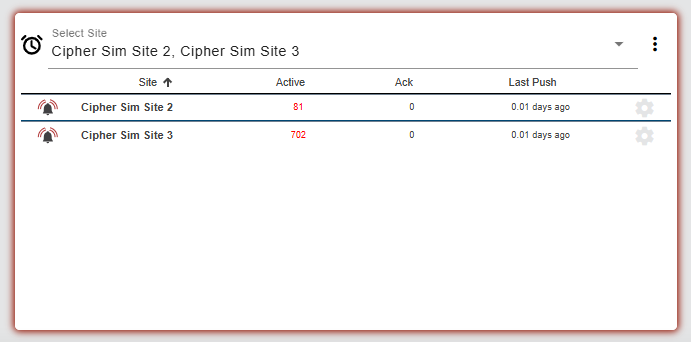
| The Alarms gadget will now continue to glow with the red color while there are Data events for the sites selected for the gadget that are Active or Acknowledged. The red glow will be removed automatically when the Data events for the sites selected for the gadget site are Resolved.
|
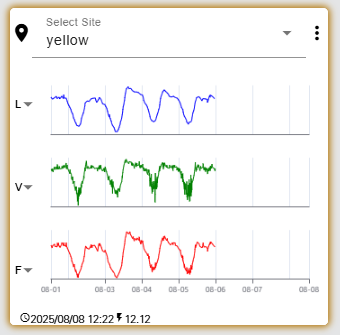
| The Site gadget will now continue to glow with the yellow color while there are Silent Site events for the site that are Active or Acknowledged. The yellow glow will be removed automatically from the Site gadget when the Silent Site events for the site are Resolved.
|
| The Dashboard toolbar with functions to create, modify and lock the dashboard has been updated. The functions available will now differ depending on the state of the dashboard.
|
| Dashboards named 'Home' can now be renamed or deleted. Also, it is now possible to delete all dashboards, leaving the Dashboard screen clear, and new dashboards can be created. |
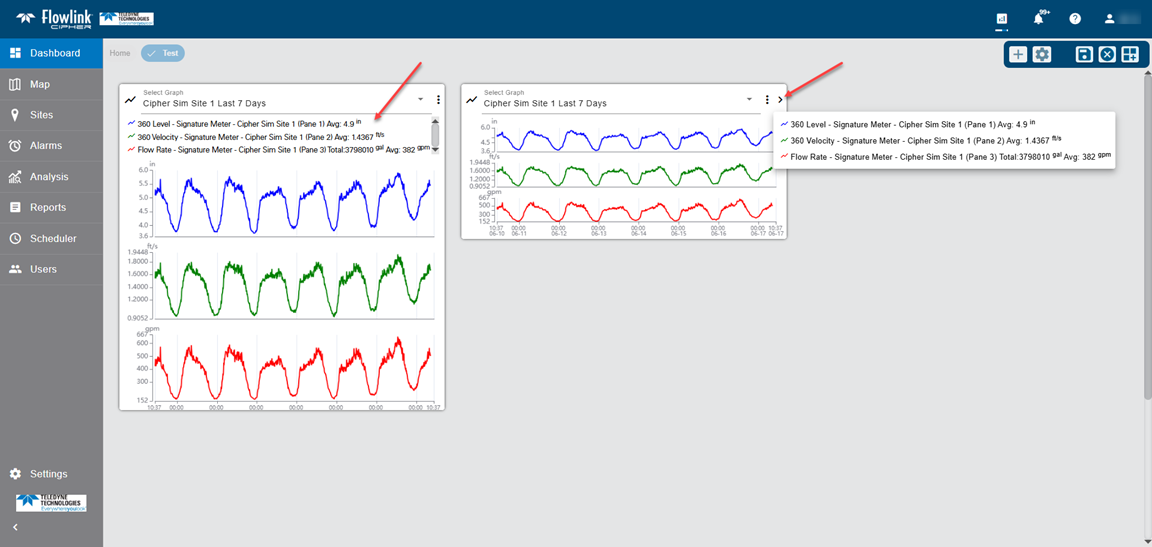
| The Graph gadget on the dashboard now has a legend. The legend is displayed above the graph panes only when the gadget is tall enough. When the gadget is short, click the right arrow button in the top-right corner of the gadget '>' to display the legend in a pop-up.
|
General Application | |
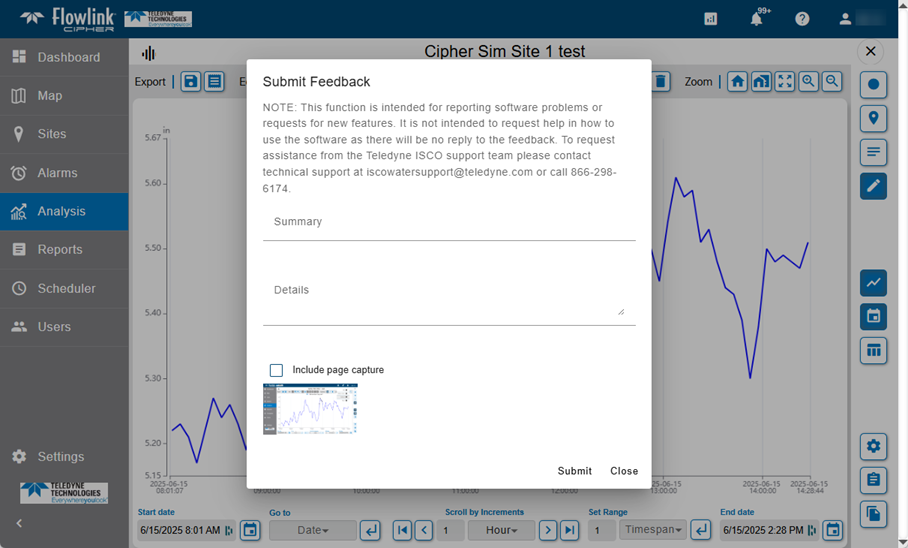
| The 'Submit Feedback' function now includes a note reminding the user that the function is for reporting software problems and requests for new features. The Feedback function is not intended for obtaining help in how to use functions and procedures in Cipher. To obtain help in how to use Cipher contact Teledyne ISCO at iscowatersupport@teledyne.com or call 866-298-6174.
|
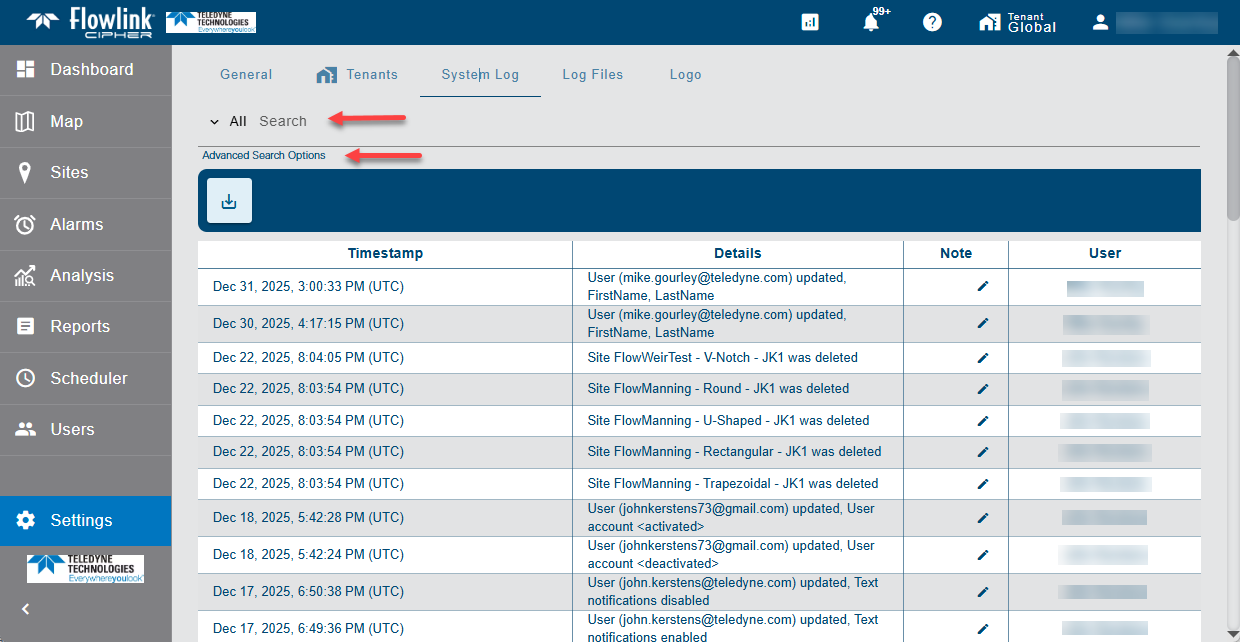
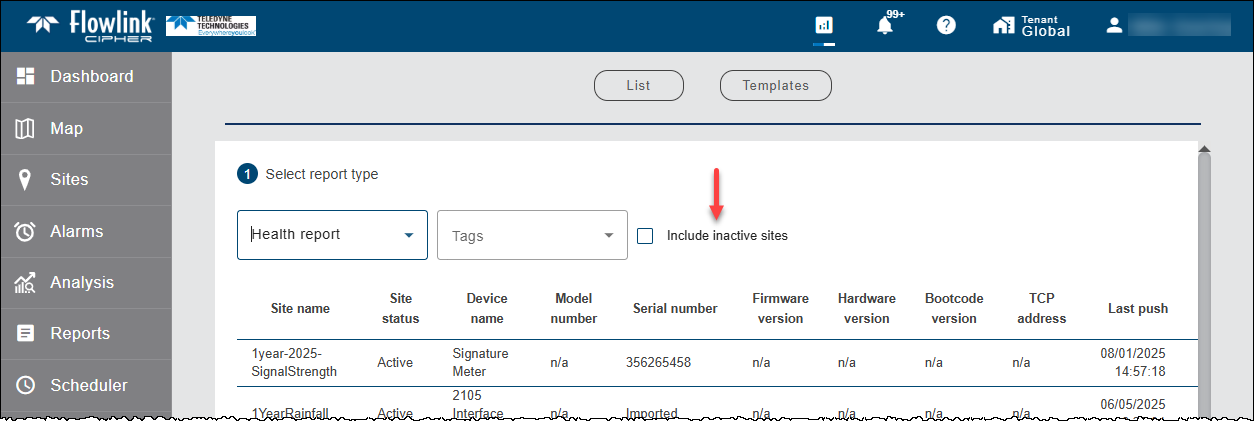
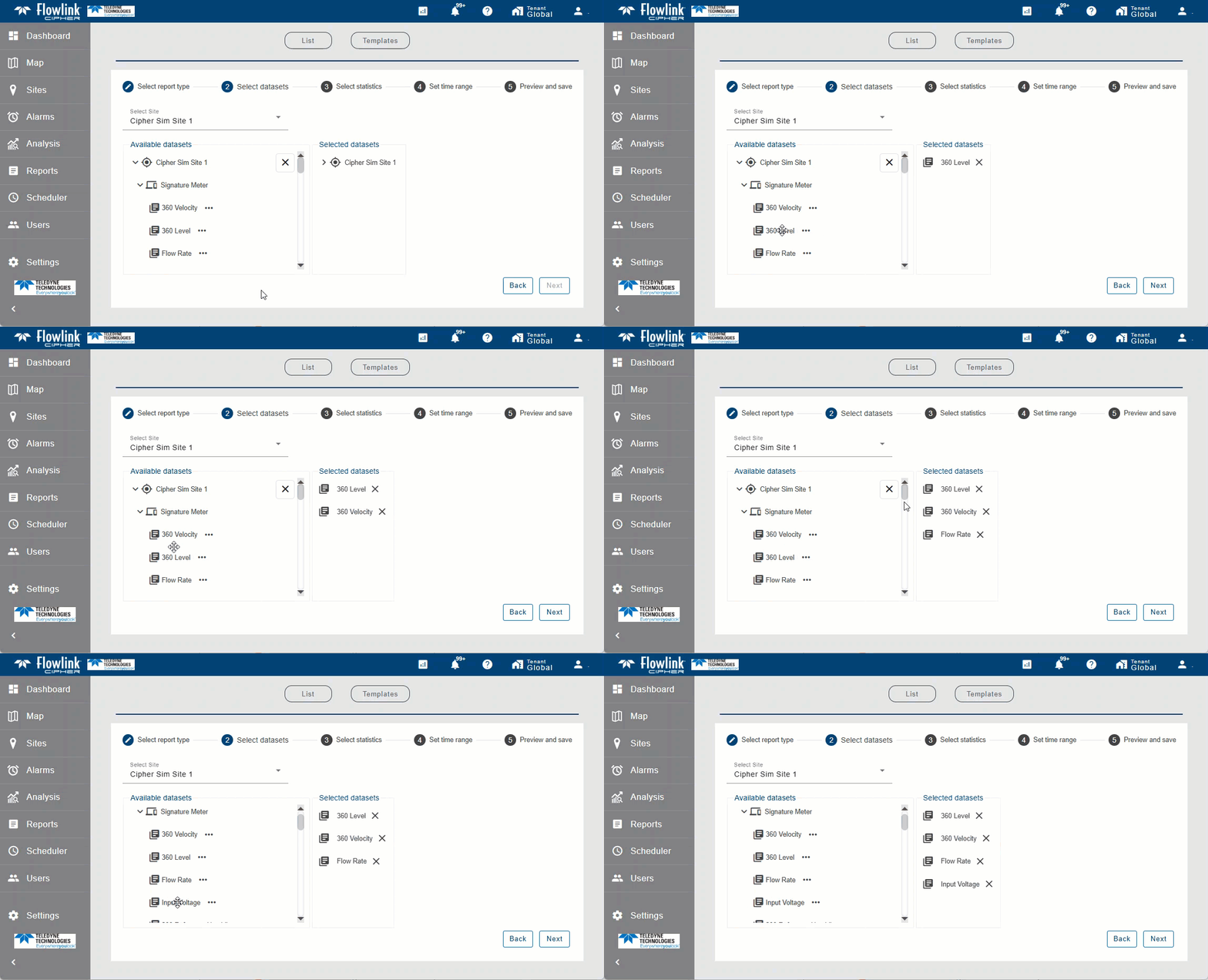
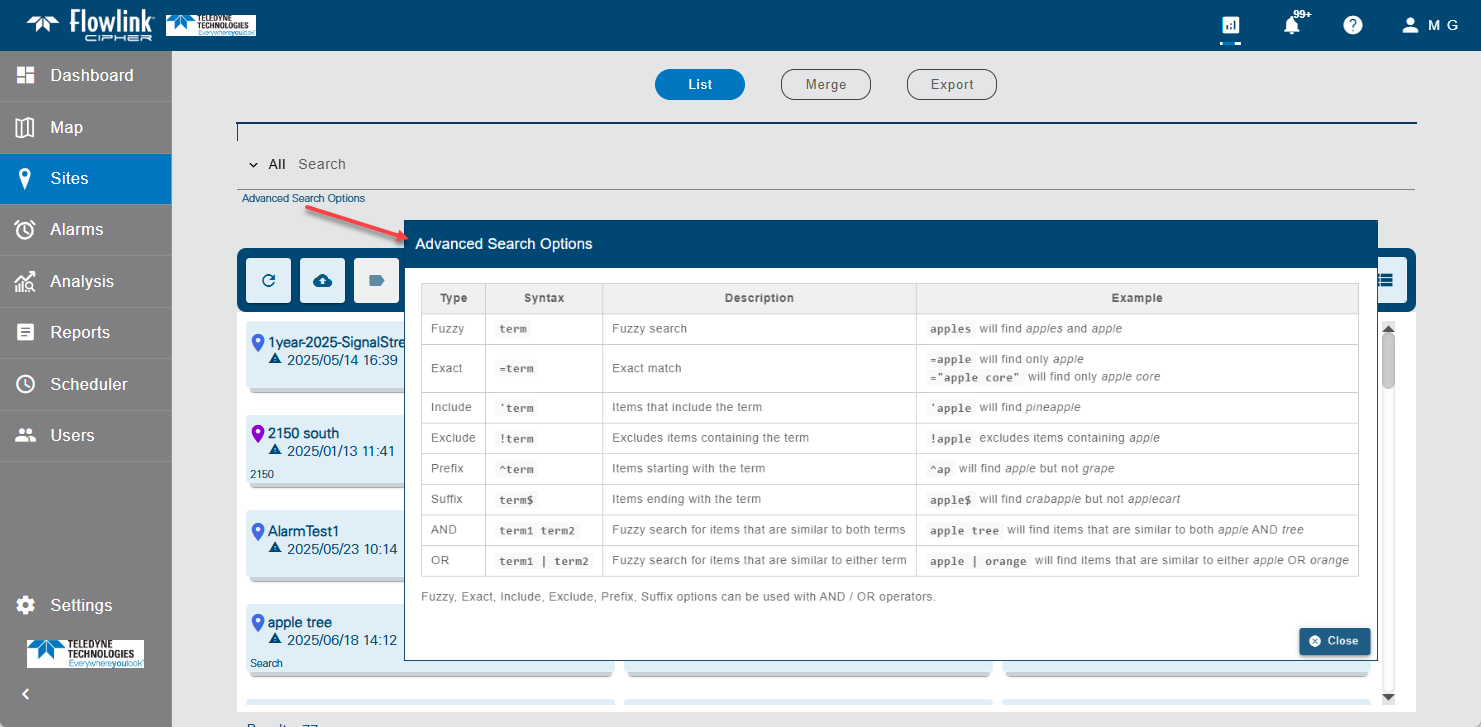
| New Advanced Search Options have been added to all locations where the user needs to search for and select a site. The Search options include Fuzzy, Exact, Include, Exclude, AND, OR, Prefix and Suffix.
|
Graphs | |
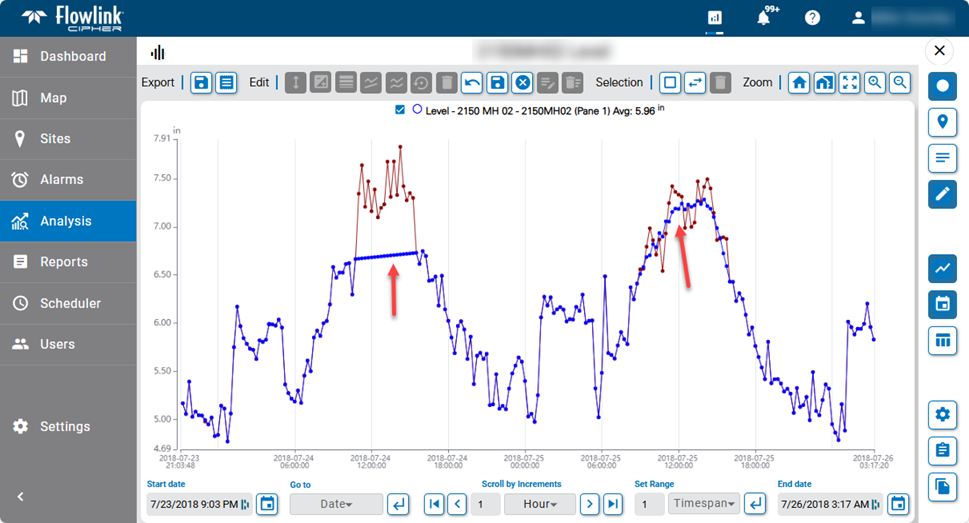
| The 'Auto Correct' edit function has been replaced with two functions: 'Linear Correct' and 'Smooth Correct'.
|
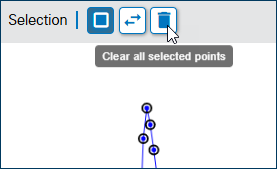
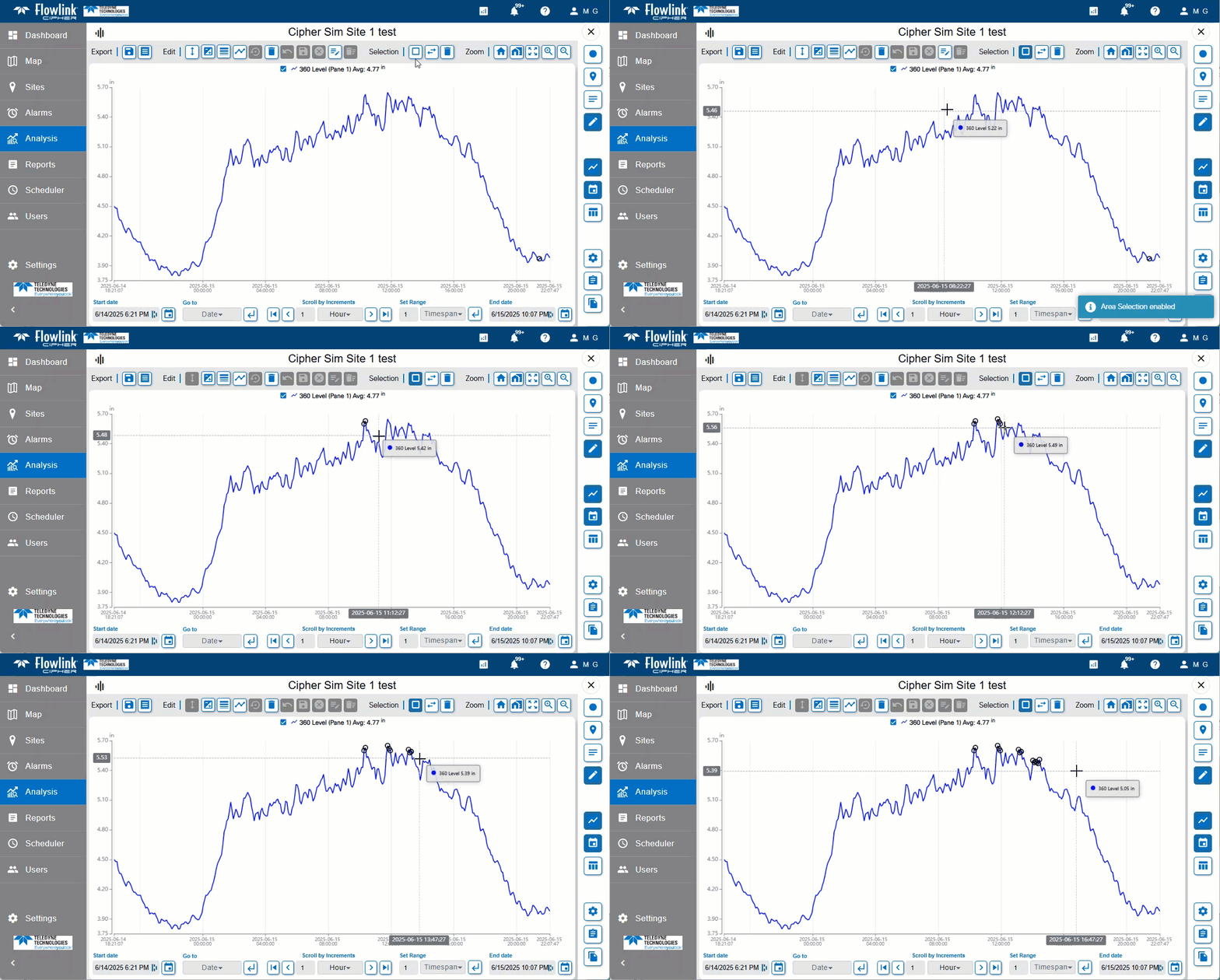
| The function 'Clear all selected points' has been added to the graph screen when in edit mode. This will deselect all points that have been selected.
|
| 'Select points by rectangle' has been enhanced by allowing multiple groups of points to be added to the selection by pressing the Ctrl key and adding more points to the selection.
|
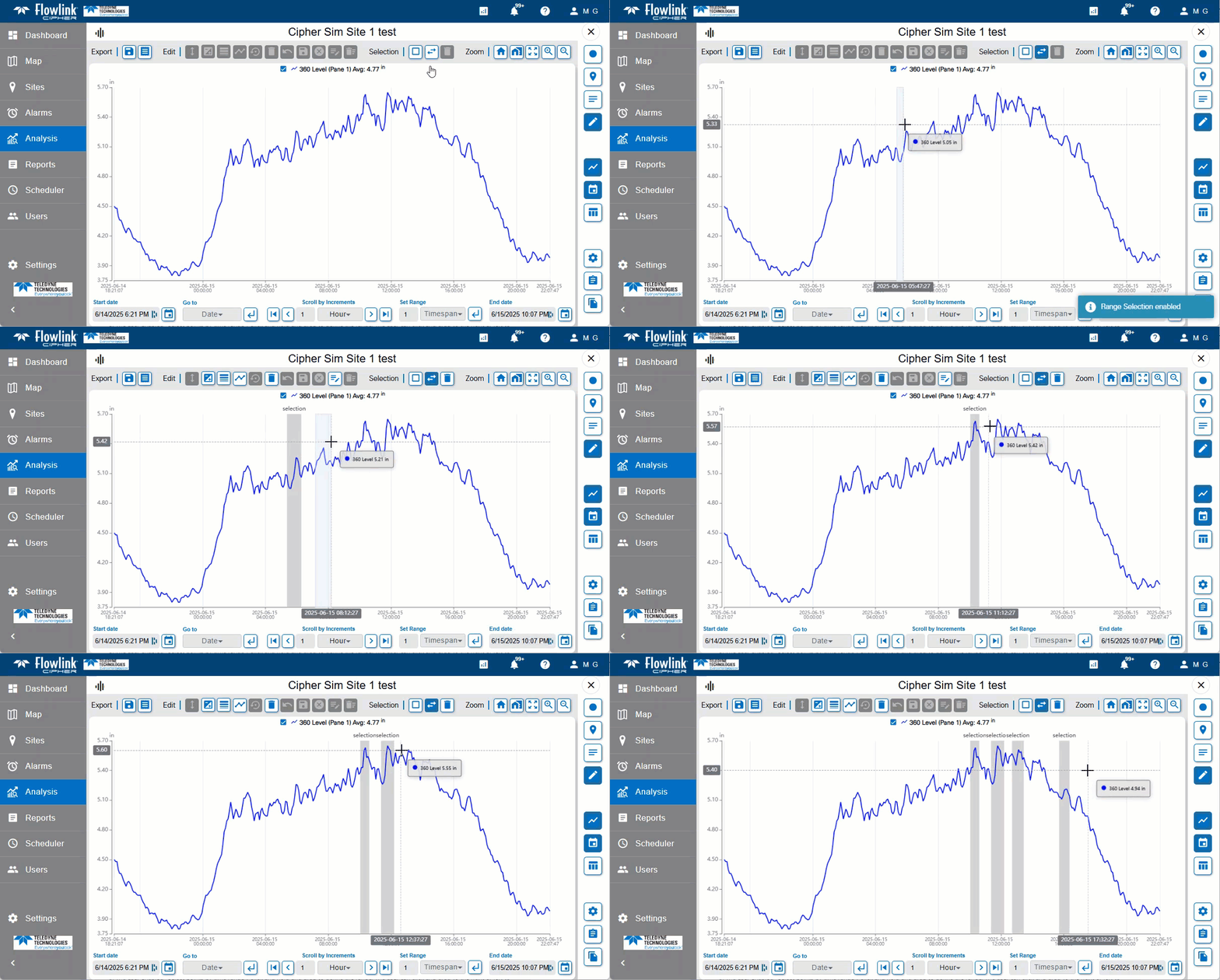
| A new selection method has been added to the graph edit mode.
|
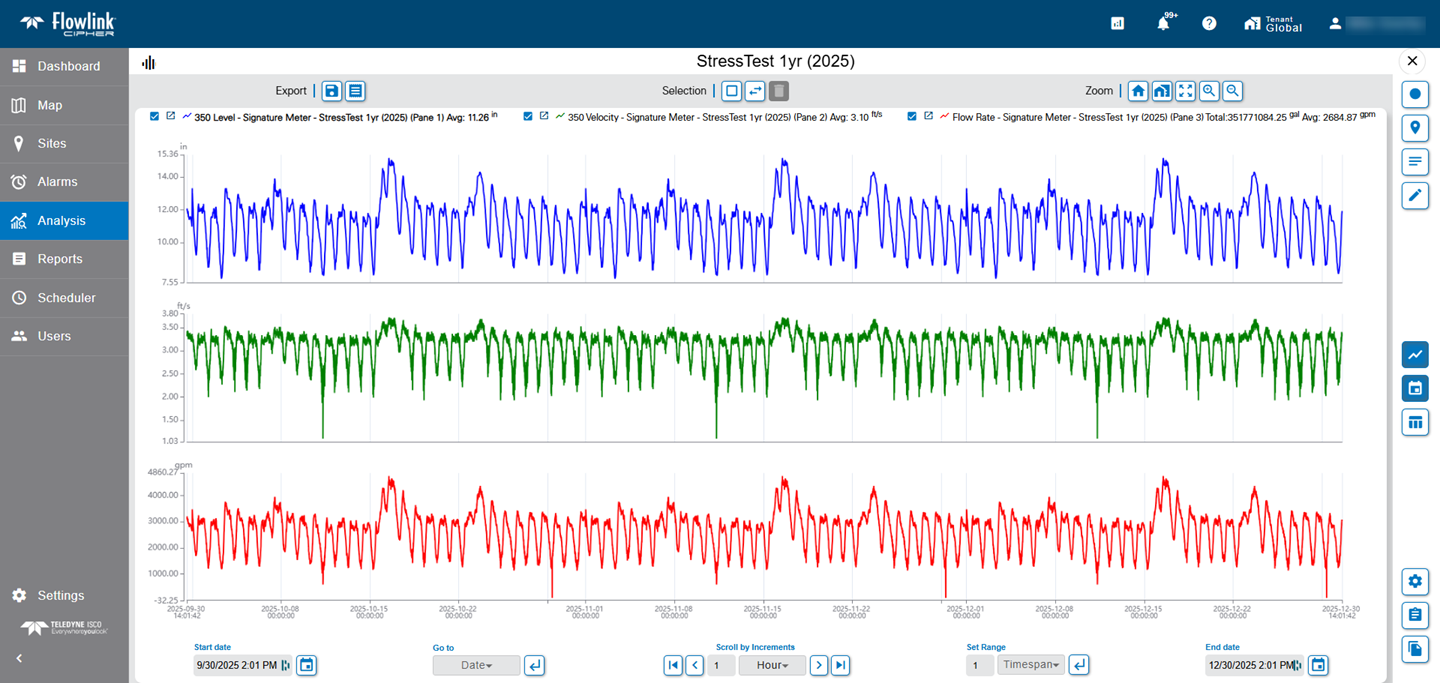
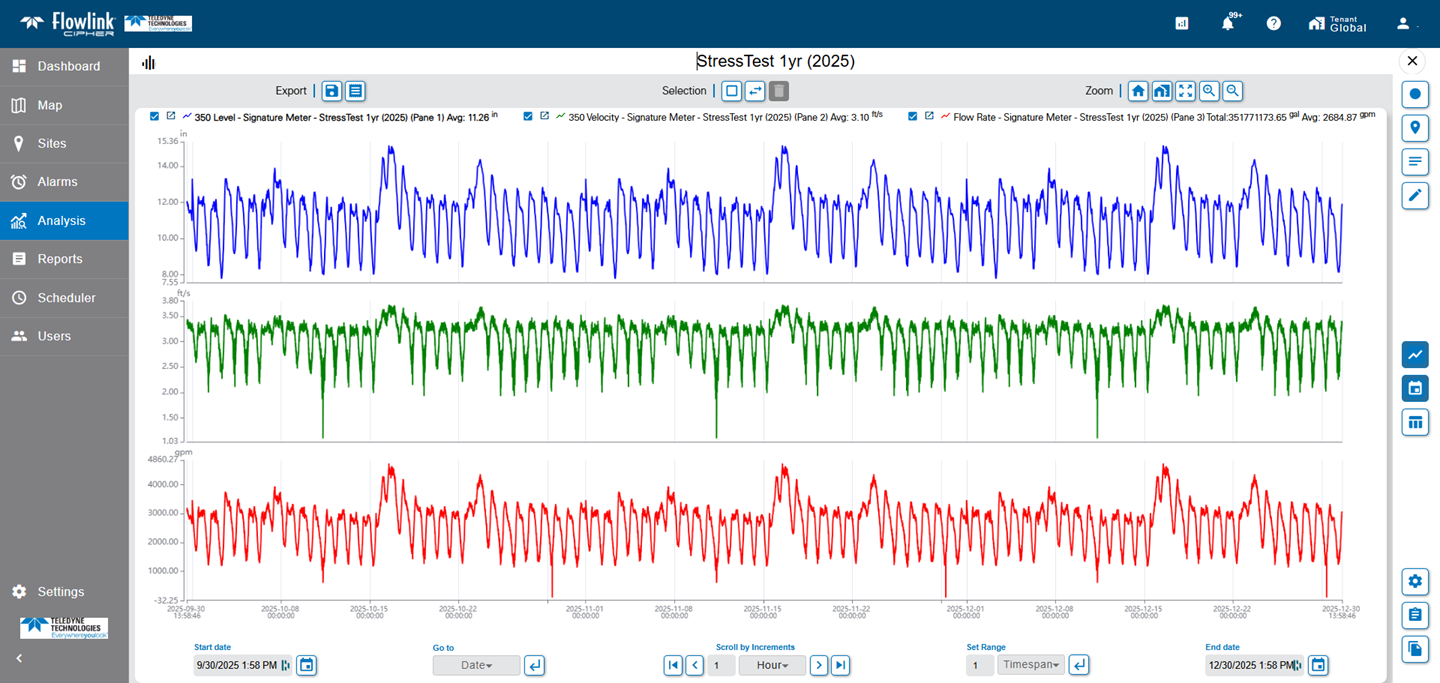
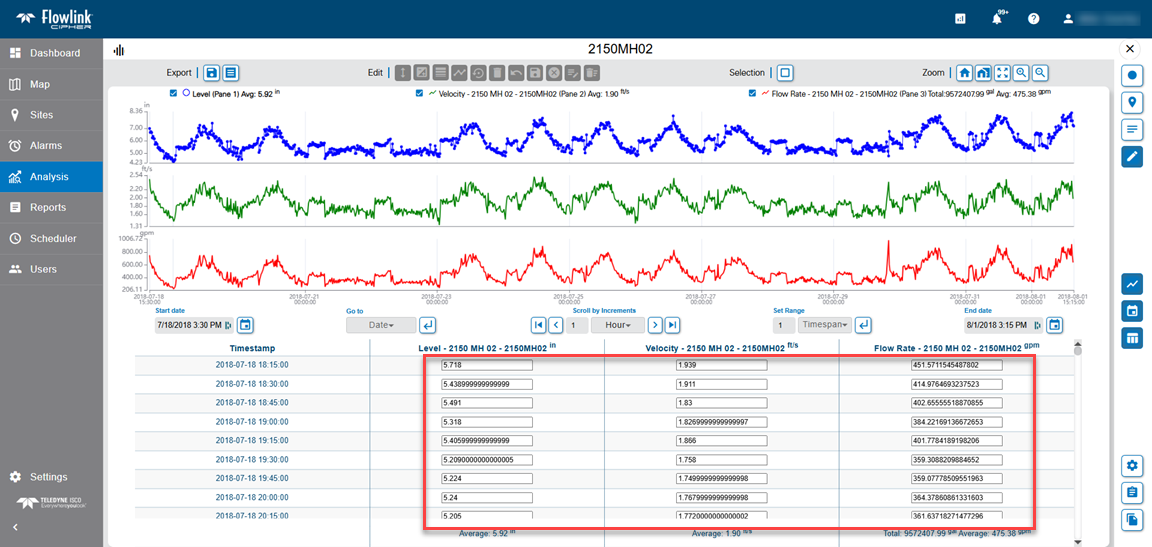
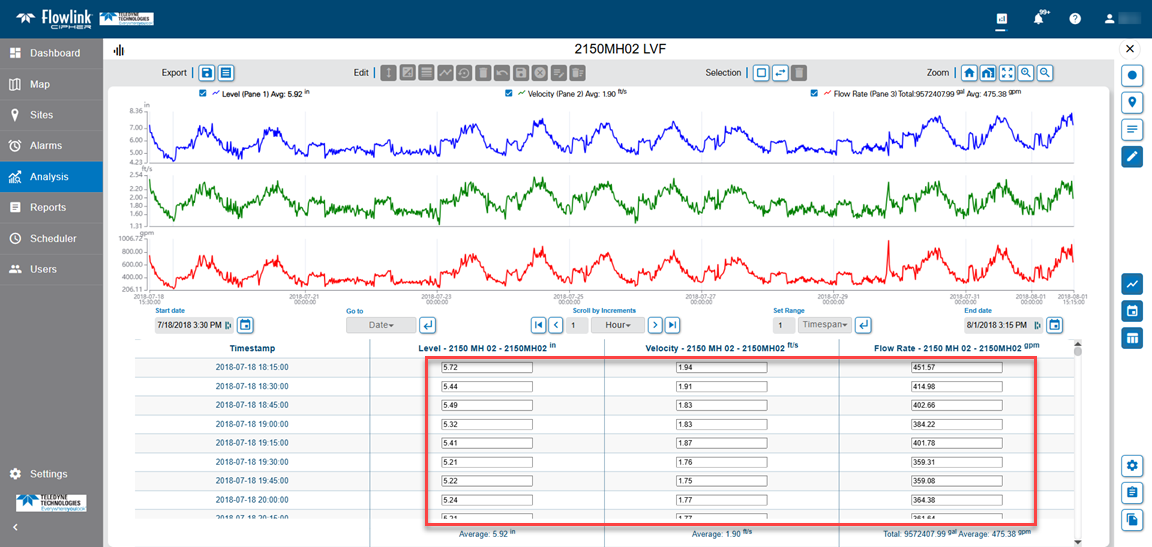
| Previously, when the graph was put into Edit mode and the table was displayed, the quantity values in the table would display in their full precision as stored in the database and converted to the display units. This has been changed. The graph table in Edit mode will now display the values with the precision as defined by the display property settings for the graph, which defaults to the User Profile Preferences settings for precision for each quantity data type. The following is a BEFORE versus AFTER comparison of the graph table in Edit mode.
|
Sites | |
| The Sites > Merge function has been updated to generate only one job per execution. Previously, the function generated one job per quantity included in the Merge execution. As a result, the Jobs drop-down list now contains the one job indicating the Source and Destination sites instead of multiple jobs.
|
Maintenance
Flowlink Cipher
Alarms | |
| Event detection has been updated to better handle the end condition correctly when events would span over multiple pushes. |
| In some cases, defining an alarm setting with a computed dataset would result in the Data events not being triggered when expected. This has been fixed by improving how the application determines which event setting to check when there is incoming data. |

| Event detection logic has been updated so that all values that meet the condition are included as long as they fall within the user defined duration window. This applies to data events created from alarm settings and the search function. |

Computed Datasets | |
| When configuring a new computed dataset using the Manning formula, in some cases the Preview option would return an error message even though the new dataset could be created. This has been fixed. |
Dashboard | |
| When a report was generated by the Scheduler, the Reports > List table would display the name of the site that was recorded in the template used in the scheduled job and not the name of the site that was used to generate the report. This has been fixed. |
| The Delete Gadget function on the dashboard will now appear disabled when the dashboard is locked. |
Graphs | |
| Graphs created with the 'Level, Velocity and Flow Rate from Site' function on the Sites screen (ie. quick graph) will now correctly use the 'Reduced Legend' user preference setting when adding the legend to the graph. |
Ingestion Service | |
| Data points that were edited in Flowlink 5 will now be imported to Cipher, with the original data point values, when using the Archive/Transfer function. |
Sites | |
| The sorting of the sites in the Sites screen using Voltage has been fixed. The sites without a value (ie. "N/A") will now appear at the bottom of the list for both ascending and descending sort order. The sites with a value appear at the top of the list. Sites with more than one voltage (e.g. 10.23, 10.76, 10.34) will use the first voltage as the voltage for the sorting. The voltages displayed in Grid View and List View no longer display the "v" character with the voltage value. |
| Previously, if the 'Data Last Received' threshold value was changed but then canceled before the save completed, the new value was still being saved instead of being discarded. This has been fixed. |
User Accounts | |
| Previously when a user tried to reset their password, they would receive an error message that a problem was encountered and to contact your administrator. Reset Password has been fixed. |
| Previously, when a user's Profile screen was open and the web browser was refreshed, the screen would then be empty instead of reloading. This has been fixed. |
| There were reports of an intermittent problem with the checkbox "I understand and accept the terms of use" not enabling when reviewing the EULA while activating a new user account. The procedure has been adjusted to apply a buffer to the detection of the scroll bar when it is moved to the bottom of the EULA text box. |