Flowlink Cipher 1.7
This section describes all changes made to the application in the 1.7 series of releases.
1.7.9
December 2024
Enhancements
Flowlink Cipher
Computed Datasets | |
| The '...' menu available for all computed datasets in the data tree contains an 'Edit' function. The function is now working as expected. When the user creates a new computed dataset then adds it to a graph and updates the graph, the 'Edit' function will now allow the user to reopen the computed dataset function panel, alter any of the input parameters then Preview and Update the computed dataset. The updated computed dataset will then display as expected in the graph without having to add the dataset to the graph again. |
General Application | |
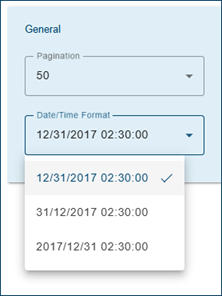
| The General panel in the Preferences tab of the User Profile page now has a Date/Time Format selection. The format is used by the export functions in the main graph screen, the Sites > Export function, the Reports Preview and the output files generated by Reports and the Scheduler.
|
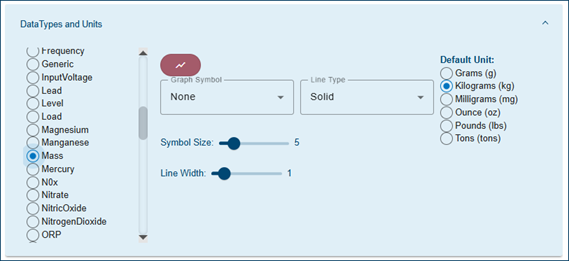
| The quantity data type 'Mass' has been updated to include unit options of milligrams (mg), grams (g), ounce (oz), pounds (lbs) and tons (tons).
|
User Accounts | |
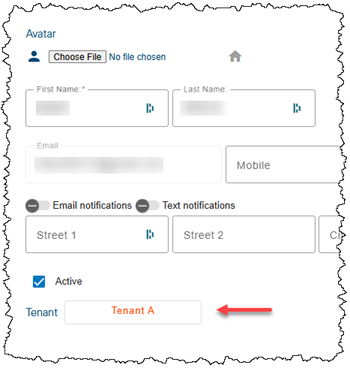
| The Change Tenant button on the User Profile page now displays the name of the tenant to which the user account is assigned. This button will be visible but disabled if the current user does not have the System Administrator role required to assign accounts to tenants, or if the user profile being viewed has the System Administrator role.
|
Maintenance
Flowlink Cipher
Alarms | |
| The Remove button to delete an alarm setting will no longer be visible in the Alarm Settings list once the setting has triggered a Data event. Data events are linked to the alarm setting where the conditions that triggered the event are stored, therefore the alarm setting cannot be deleted. |
Dashboard | |
| The Silent Site gadget will now be surrounded with amber color when there are active Silent Site events. Previously the gadget would show a red border, which has been fixed. The Alarms gadget displays a red border when there are active Data events triggered by an alarm setting. |
Events | |
| If the event detection system attempted to trigger a new Data event and more than one 'Ongoing' Data event was still active for the same alarm setting, the event detection would fail. This resulted in the new Data event not being created and the multiple previous 'Ongoing' Data events for the same alarm setting would not be ended. This has been fixed. |
Graphs | |
| A user account with only the Administrator role will now have access to the Edit graph function on the main graph screen. Previously the Edit graph button in the lower-right corner of the main graph screen was hidden from the Administrator role. |
Notifications | |
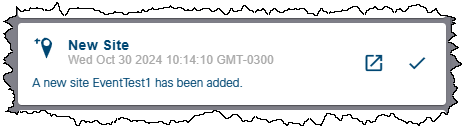
| Users assigned to a tenant were receiving notifications when a new site was created by a Global user if the user had the "Notify when a new site is added" option enabled on the Sites List page, and their notifications were enabled in their profile. This has been fixed. Users in tenants will no longer receive notifications of new sites created by global users. |
Scheduler | |
| For a report generated only by the Scheduler, the Total Value in the summary table was missing when the name of the FlowRate type dataset was not "Flow Rate". This has been fixed. |
Sites | |
| Previously when the import of a CSV file was completed and created a new site, the user would have to wait a period of time for the site list in memory to update or use the "Reload site list" function. The site list in memory will now automatically update following the import of a CSV file so that the new site will be immediately available in the site list when creating a new graph or adding a new site gadget to the dashboard. |
| Previously a CSV file exported from the Flowlink 5 software could not be imported to Cipher due to two elements not supported by Cipher. First, the dataset type "Sample Event" was not supported. Second, the CSV file was encoded with the ANSI text format which prevented Cipher from correctly interpreting the degrees symbol for the units of Celsius and Fahrenheit for Temperature data types. Both issues have been fixed. |
Templates | |
| The graph template "Level, Velocity, Flow Rate template" can now be edited by a user account with the System Administrator role. This is the default graph template that is provided to all new Client Codes in Cipher. The template is used by the "Level, Velocity and Flow Rate from site" function on the site card and the "Graph from site" function on the dashboard's graph gadget. Because the default template is shared by all users in all tenants in the Client Code, the permission to edit the template is limited to the accounts with System Administrator role in the Global tenant. |
Tenants | |
| The Delete function on the Tenants tab of the Settings page was failing in some cases because the user accounts assigned to the tenant were not being moved into the Holding Tank as expected. This has been fixed. |
User Accounts | |
| Viewer, Analyst and Editor roles were previously usable to open the dataset Properties dialog box for a dataset in a site selection tree. This has been fixed. |
| The Viewer role does not have permission to use the avatar function in their user profile, therefore this feature is no longer available on the User Profile page when logged in as a user with the Viewer role. |
1.7.8
November 2024
Enhancements
Flowlink Cipher
Notifications | |
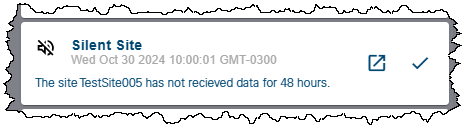
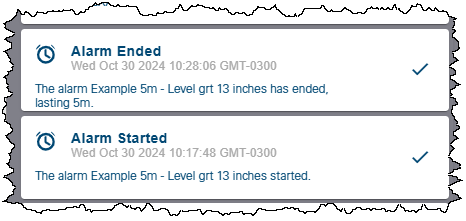
| The Notification system has been upgraded with new and more detailed messages. The changes affect the Notifications panel, the text in email notifications, and the SMS text messages. The events that are affected include:
|
Settings | |
| The Settings > System Log now includes changes made to the roles applied to user accounts.
|
User Accounts | |
| The Edit note button in the Logs tab of the site information screen was visible to Viewer users, but not operational. The Viewer role does not have permission to modify data in the system, including notes on site logs, therefore this button is no longer visible to users with the Viewer role. It remains available for all other roles. |
| On the Devices tab of the site information page, the Modify Dataset Name button on the Device panel for modifying the name of a quantity in a site is now visible only to users with the Site Manager or Administrator roles. Previously the edit button was visible to the Viewer, Analyst, Editor and System Administrator roles, but was not operational. Only the Site Manager and Administrator roles have permission to modify the name of a quantity. |
| The Sites > Groups tab with the functions to create and modify site groups is now visible only to the Site Manager and Administrator roles. Previously the Groups functions were visible to the Viewer, Analyst, Editor and System Administrator roles. Only the Site Manager and Administrator roles have permission to create and modify site groups. |
Maintenance
Flowlink Cipher
Alarms | |
| Previously when an alarm setting was defined with a computed dataset, the alarm setting panel would not display the start and end conditions of the setting. This has been fixed. |
Dashboard | |
| The 'Dashboard Configuration' dialog box now displays the 'Created Date' of the dashboard. Previously the date was missing for some dashboards. |
Export | |
| The Sites > Export screen has an expanding panel for each site to be exported. In the expanding panel for each site is a checkbox option to export "All" quantities. The number in parentheses next to "All" now correctly displays the total count of the quantities that are available in the site for export. Previously, the count number was always zero. |
General Application | |
| For some users with large numbers of sites and active ingestion of new data into the sites, the previous release experienced unnecessary memory usage in the browser which caused the browser to stop responding and require a restart. This has been fixed. |
Graphs | |
| When selecting points in the main graph screen, as each new selection is made on the same quantity in the graph, the previously selected points are no longer marked with the circle. However, if the user switches the selection mode to another quantity in the same graph and begins selecting points in the second quantity, the previously selected points in the first quantity were still marked with the circle. This was incorrect and has been fixed. |
| The "Toggle original data" and "Restore original data" functions in the main graph screen are now working as expected. The "Toggle original data" function is now correctly displaying the time series graph through the original point values in a dark red color. The "Restore original data" function now correctly restores a selection of previously edited points to their original values. |
User Accounts | |
| The Viewer role does not have permission to edit the status of Data events. Users with the Viewer role will no longer see the control to change the status of Data events in the events list tables. The buttons to change the status of alarm events on the Alarms gadget will still be visible to Viewer users, but will be disabled. |
| The System Administrator role does not have permission to generate Reports, therefore the Reports menu item in the left sidebar is no longer visible for users with the System Administrator role. |
| The System Administrator role does not have permission to view the Logs information for a site, therefore the Logs tab is no longer visible in the site information screen for users with the System Administrator role. |
| Users with the Administrator role were not able to create a new Data event in the Analysis > Search function. Also, the Administrator role could not be used to modify the status (Active, Acknowledged, Resolved) of a Data event. This is been fixed; users with the Administrator role can now create and modify Data events. |
| The Viewer and Site Manager roles do not have permission to edit graphs, however, the Edit Graph button in the bottom-right corner of the main graph screen was visible to users with these roles, but not operational. This has been fixed and the button is no longer visible to when logged in with the Viewer and Site Manager roles. |
| The Viewer role does not have permission to create, edit or use a Reports template. The Reports > Templates tab is no longer visible to users with the Viewer role. |
| The Viewer role does not have permission to edit or delete graphs. Previously the Edit Graph and Delete Graph buttons on the graph tiles of the Analysis screen were visible to users with this role, but not operational. The buttons are no longer visible to users with the Viewer role. |
| The System Administrator role does not have permission to use the following functions on the Devices panel of a site information screen: |
| The "Delete site" function on a site card on the Sites List screen is no longer visible to users with only the System Administrator role because this role does not have permission to delete sites. Previously the button was visible but not operational. The function is permitted for the Site Manager and Administrator roles. |
| The function to add a Site gadget to the Dashboard is no longer visible to users with only the System Administrator role because this role does not have permission to use the Site gadget. Previously the function button was visible and a site gadget could be added to the Dashboard, but the data would not load for users with this role. All other roles have permission to use the Site gadget. |
| The "System Log" and "Log Files" tabs in the Settings screen are now visible only to users with the System Administrator role, which is only available to users in the Global tenant. Previously, these two tabs were visible to Global accounts with the Administrator role. The Administrator role in the Global tenant still has access to the General tab which contains licensing information. |
| In the Users screen, the card for each user contains the name of the tenant the user account belongs to. If a color has been assigned to the tenant in Settings, the name of the tenant on the user card will now be displayed with the tenant color. The default user symbol at the top of the card will also be displayed with the tenant color if the user has not applied an avatar to their account profile. |
| The Administrator role has been updated to prevent users with this role from creating or modifying users with the higher security level role of System Administrator. Users with the Administrator role can use the "Active" check box to enable or disable other users in the same tenant, including the Global tenant, but cannot create or modify users with the System Administrator role in the Global tenant. The Administrator cannot: |
| At the bottom of the Users screen is a "Results" field displaying the number of cards currently displayed. This number was not updating when a filter was applied to reduce the number of cards displayed. This has been fixed and the "Results" count will now update. |
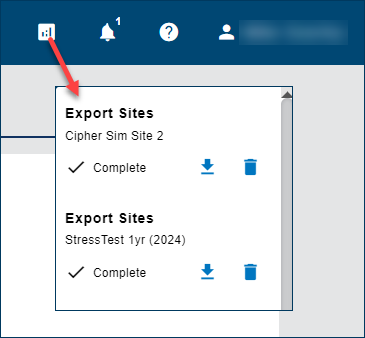
| The Viewer, Editor, and Analyst roles now have permission to view the drop-down list of jobs displayed from the Jobs button on the top menu bar. These roles previously had permission to use the Sites > Export function, but recent changes to the Export procedure now require the user to download the resulting ZIP file from the Jobs list. The Viewer, Editor, and Analyst roles now also have access to the Jobs list to complete the export procedure. |
1.7.7
October 2024
Enhancements
Flowlink Cipher
Dashboard | |
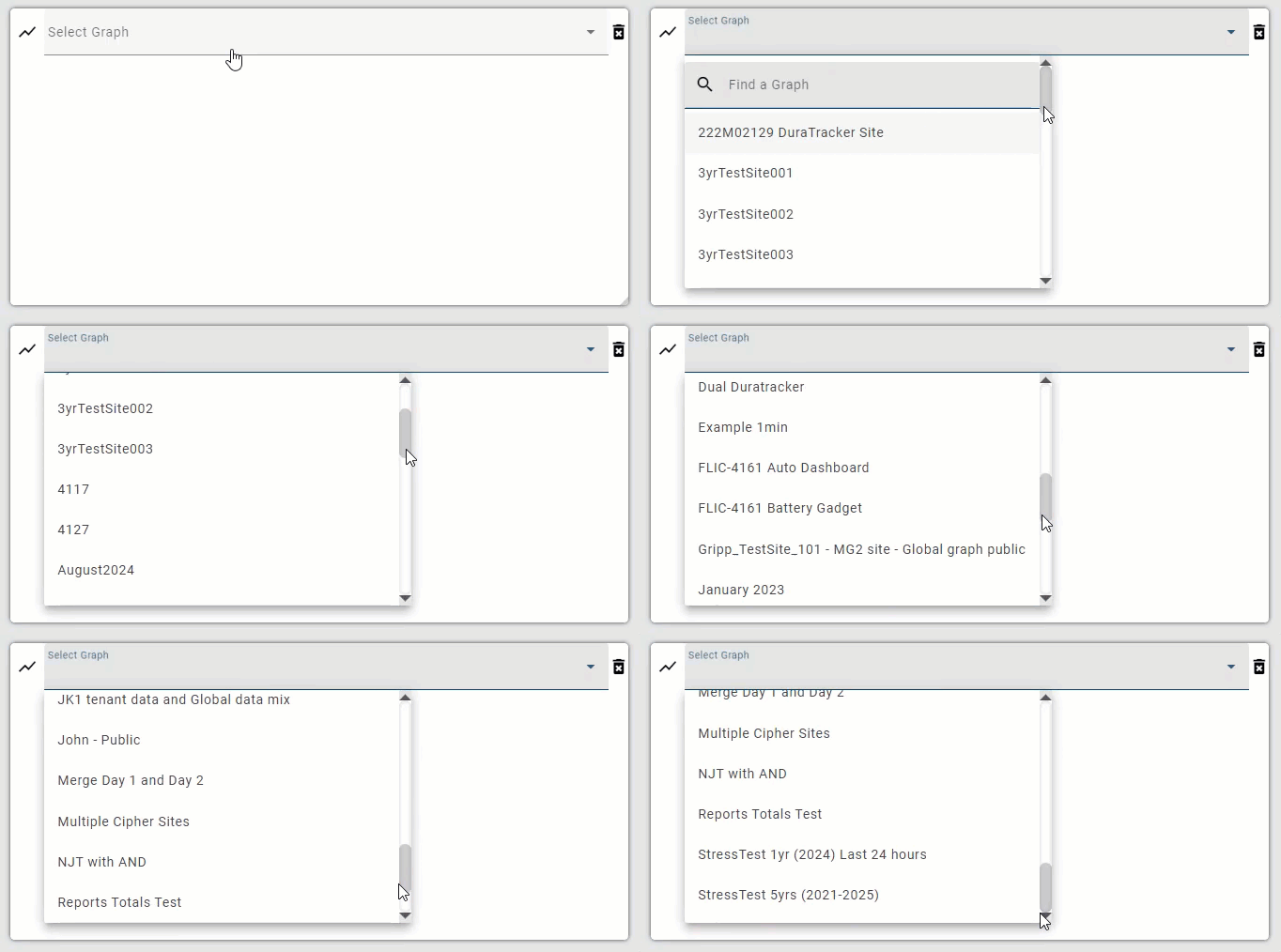
| The Graph gadget drop-down list of available graph names is now sorted alphabetically.
|
| The Sites > Export function has been updated to remove the 1 year time range limit. The Export function was updated in Cipher 1.7.6 to work in the background and process the data in chunks, making the maximum time range of 1 year unnecessary. |
| Expanding the drop-down lists in the Site and Graph gadgets now automatically focuses the cursor in the search field at the top of the list. This allows the user to begin searching for a site or graph without first having to click in the field. |
Export | |
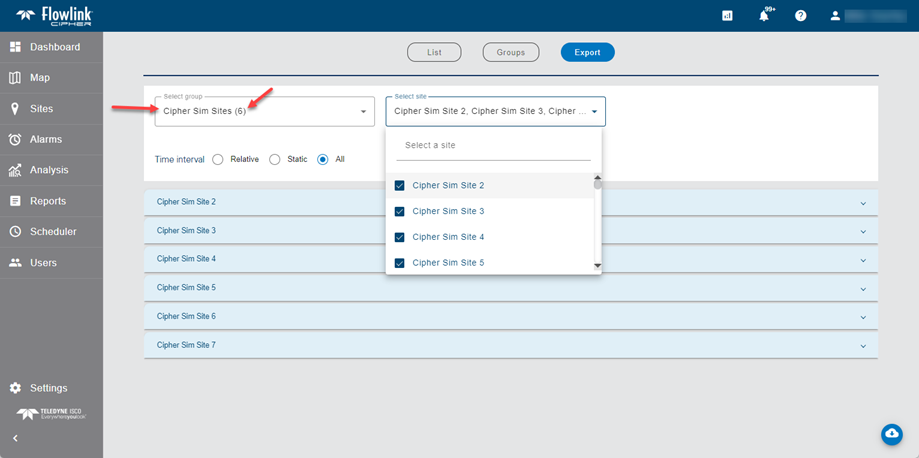
| A 'Select group' option has been added to the Sites > Export screen. If a user selects a group, then all sites in the group are selected for export. The number of sites in the group is shown in parentheses beside the group name in the list. When a group is selected, the sites in the group will then appear at the top of the 'Select site' list. The user can then decide to de-select some of the sites for export or include other sites. Only 1 group can be selected at a time. The group 'Unassigned' is not included in the group list as it contains the list of sites not assigned to groups.
|
General Application | |
| When a site export job is processing, a new animation will now appear under the Jobs icon on the main menu bar.
|
Graphs | |
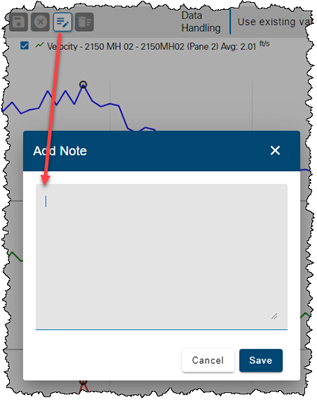
| When adding a new note to a graph in edit mode, the cursor focus is now immediately inserted into the Add Note text field. This saves the step of clicking into the field so that the user can immediately begin entering the text of the note.
|
Reports | |
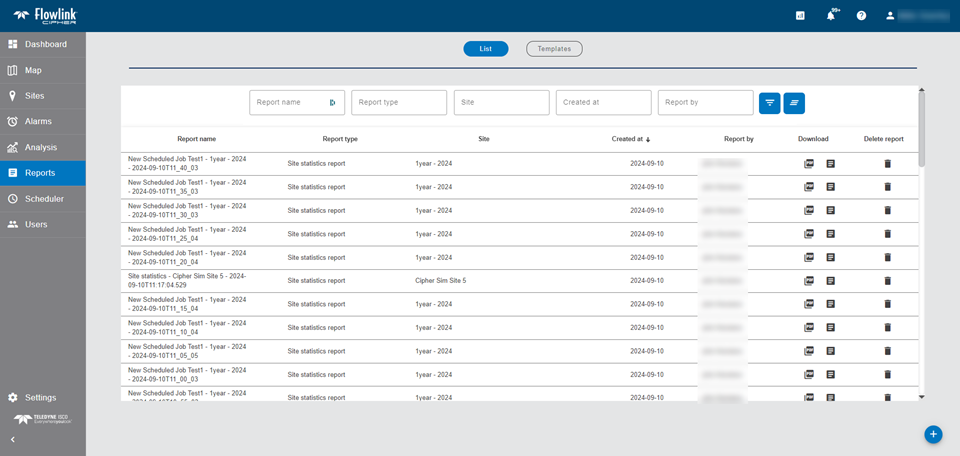
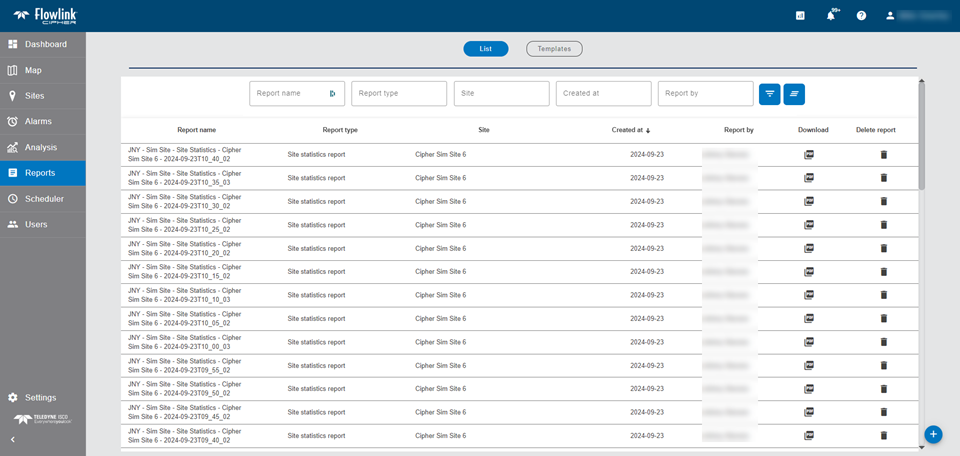
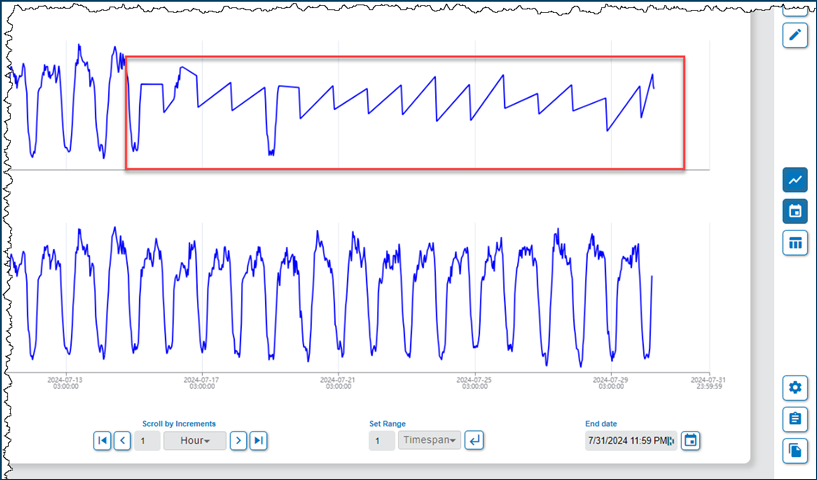
| The amount of unused space on the Reports > List screen has been reduced. There is now more room for the table of stored reports as seen in these BEFORE vs. AFTER images.
|
Sites | |

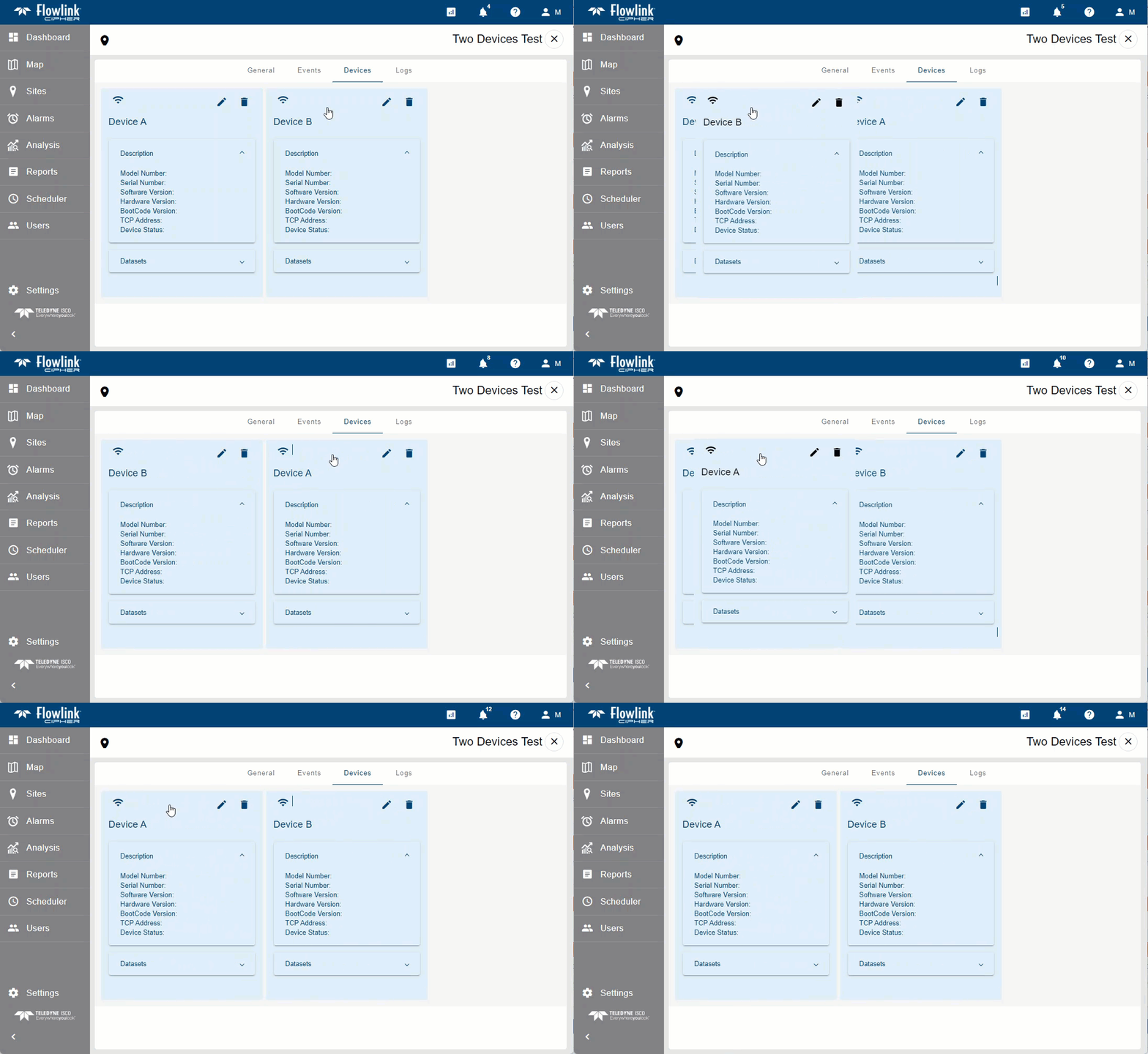
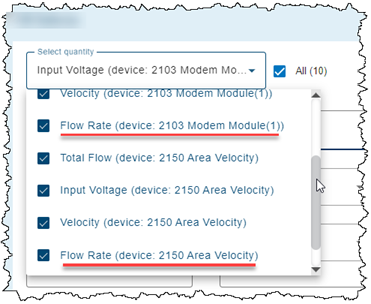
| The order in which multiple devices are displayed in the Devices tab of a site information page can now be changed using the drag-and-drop method with the mouse. Changing the order of the devices will affect the order the devices appear in the data tree in the Configure graph screen and other screens. The order of the devices will also affect which Level, Velocity and Flow Rate type datasets are selected by the quick graph function on the site card and the site gadget on the dashboard.
|
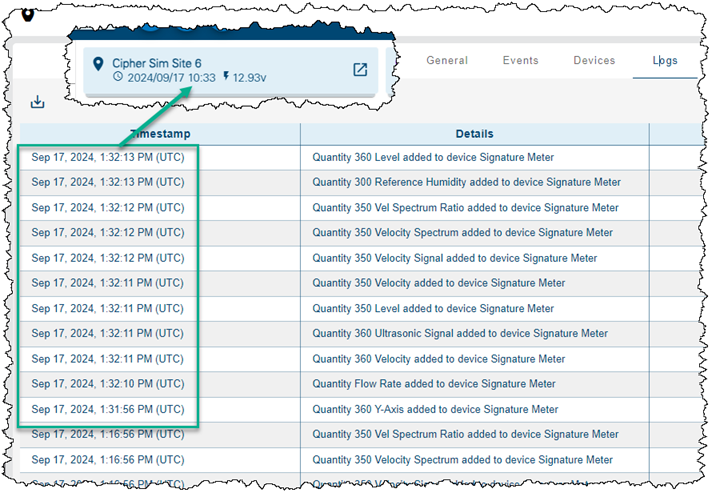
| The date and time on a site indicting when the most recent data ingestion occurred is now based on the end of the processing cycle of the new data. Previously the time indicated when the data arrived. Now the time indicates when the data has been fully processed and is available for use. As seen in this example, the local timestamp on the site card is after the ingestion of the last quantity in the push cycle (recorded as UTC).
|
Maintenance
Flowlink Cipher
Computed Datasets | |
| When preparing a new computed dataset, the Preview button now becomes enabled and has the focus when the form is ready for the process. This allows the user to press the Enter key to execute the process. Previously, if the Enter key was pressed instead of clicking the Preview button, the form would disappear and an empty graph screen would appear. |
Dashboard | |
| The x-axis annotations with their vertical lines in the Site and Graph gadgets are now matching the time zone of the data. Previously the annotations were offset by the difference between the user's computer time zone and UTC. |
| The Dashboard has been improved with a new real-time updating system which replaces the previous refresh settings in each gadget. The gadgets affected by the new updating system are the Site, Graph, Alarms, Silent Site and Battery gadgets. Now when there is new data to display, a signal is sent to the active sessions connected to update the appropriate gadgets in the Dashboards. The Refresh Data and Refresh Interval menu items in the gadgets have been removed as the gadgets will now update automatically. |
| Users can no longer delete the "Home" dashboard; attempting to do so will now display an error message. If the "Home" dashboard is renamed and then deleted, a new empty "Home" dashboard will automatically be created the next time the Dashboard screen is loaded. This is to ensure that users always have access to at least one dashboard. |
| Gadgets on the dashboard were being drawn twice when switching between dashboards. This has been fixed. |
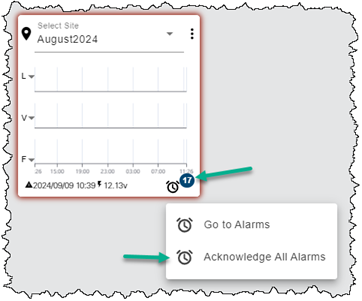
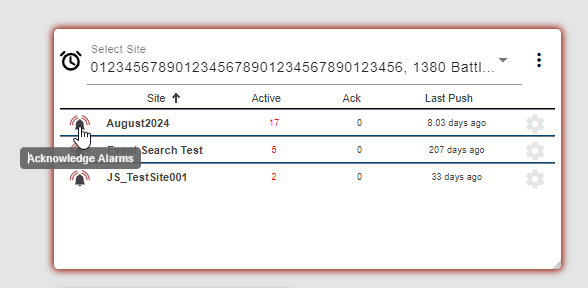
| The "Acknowledge All Alarms" function available by clicking on the count badge on a Site gadget will now acknowledge both the Data and Alarm type events. This is now consistent with the "Acknowledge Alarms" function when clicking the bell icon on an Alarms gadget.
|
Events | |
| Data events created in the Analysis > Search function were not appearing in the Alarms screen table or the Events tab of a site information screen. This has been fixed. |
| The Data Event dialog box can be launched by clicking on a Data event in either the Alarms screen table or the Events tab of a site information screen. The information in the dialog box now includes the Total value if the event contains Flow Rate, Rainfall or Volume data types. |
Graphs | |
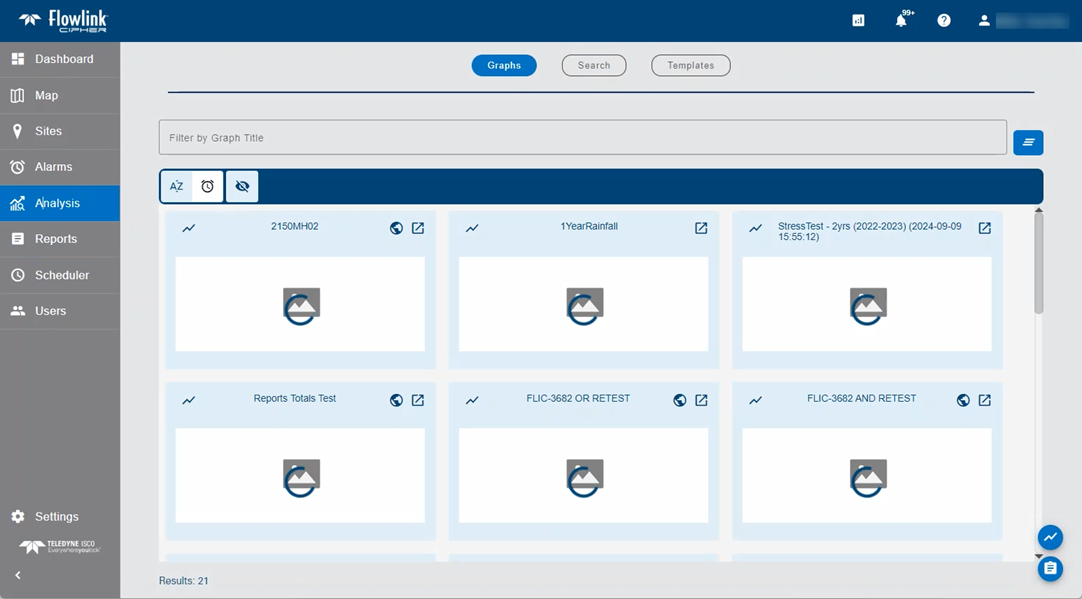
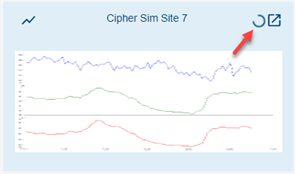
| When the Analysis screen is opened, a new default image with animation is now displayed in each tile while the tiles are loading.
|
Map | |
| Clicking the Map menu item in the left sidebar when a site information screen was loaded would load the Sites screen instead of the Map screen. This has been fixed. |
| Clicking the "Expand map" button in the upper-right corner of the inset map on the General tab of a site information screen now opens the Map screen as expected. Previously the Sites screen was loaded. |
Scheduler | |
| The Scheduler is now able to generate reports for scheduled jobs with sites that include computed datasets and email them to the recipients. Previously, the Scheduler was not able to retrieve the computed dataset correctly, which caused the report generation to fail and the email to not be sent. |
| Emails received from a scheduled statistics or health report job were missing the Client Code value. This has been fixed. |
Sites | |
| A user assigned to a tenant can now use the Analysis > Search function to search for and create data events. Previously, the Search function was not working for users assigned to tenants due to a permission problem. |
1.7.6
September 2024
Enhancements
Flowlink Cipher
Dashboard | |
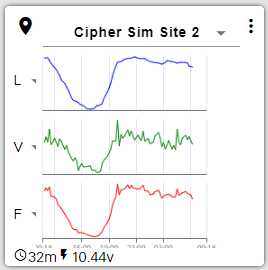
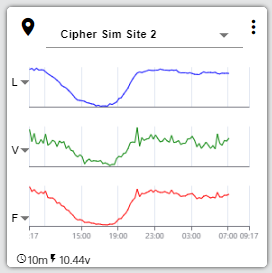
| The layout of the site gadget on the dashboard has been improved as follows:.
New Layout
|
Export | |
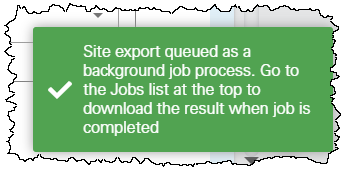
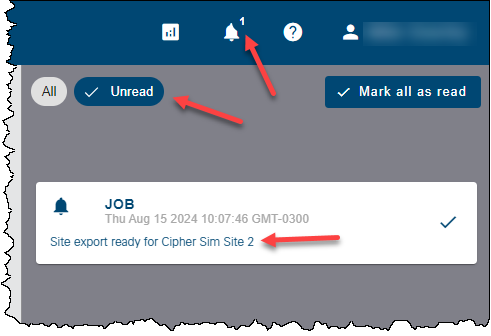
| The Sites > Export process has been upgraded to a background process that can handle exporting larger volumes of data. The Notifications panel now shows that the export job has completed. The Jobs queue list now shows when the job is running, failed or completed. When the job is completed, the Download button can be used to retrieve the file.
|
General Application | |
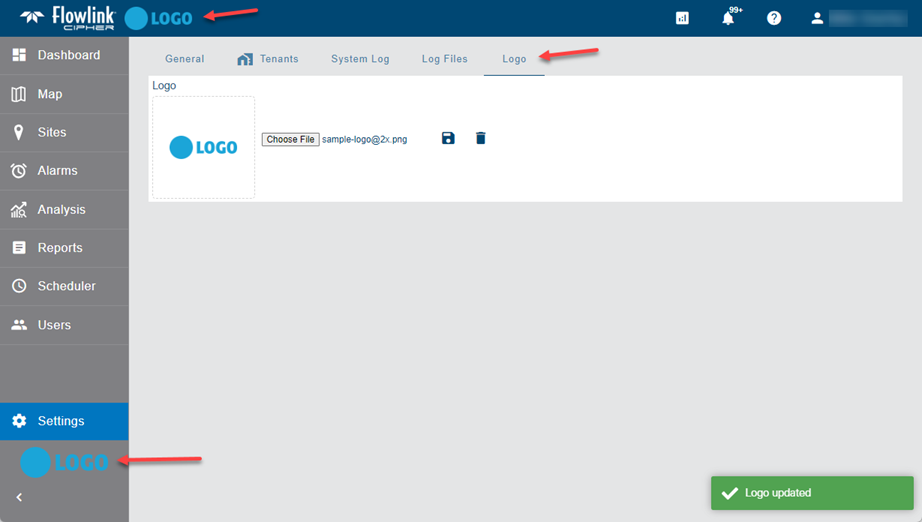
| System Administrators of a tenant can now apply a company logo image to the user interface of the application. A new Logo tab has been added to the Settings screen, where an image file can be selected. The logo will appear on the top blue menu bar and at the bottom of the expanding sidebar. Supported formats are png and jpg.
|
Notifications | |
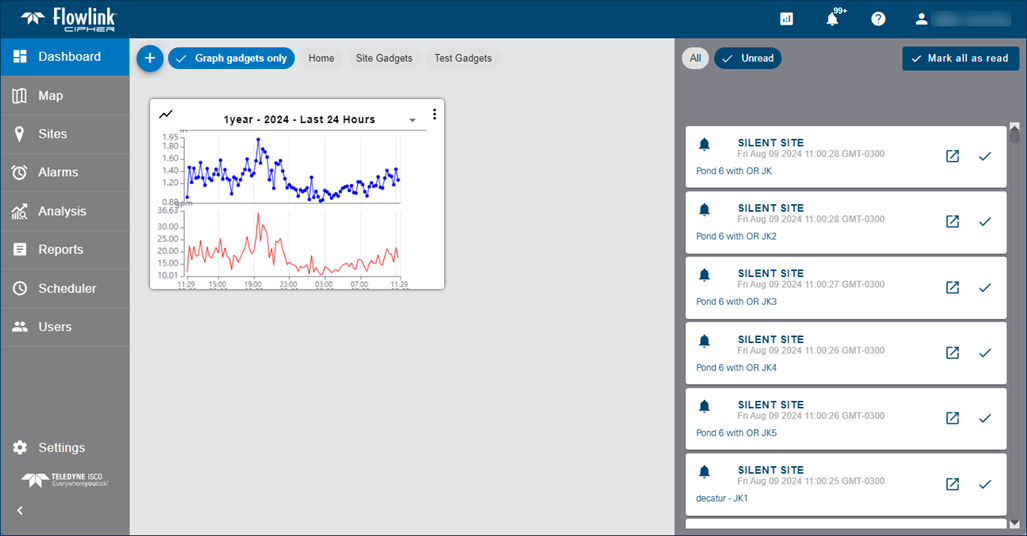
| The Notifications panel has been updated to improve the viewing and marking of notifications as having been read.
|
Sites | |
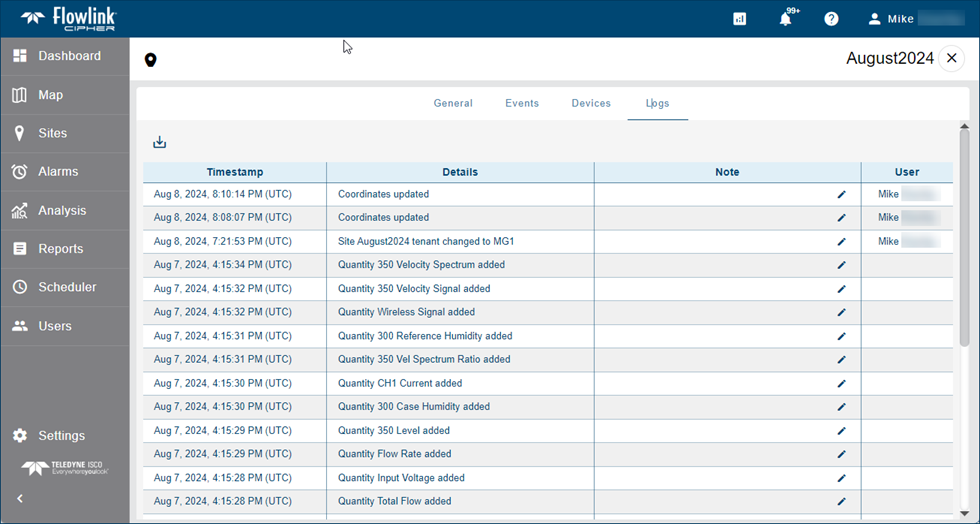
| The Logs tab in the site information screen has been updated to display the logs as a table.
|
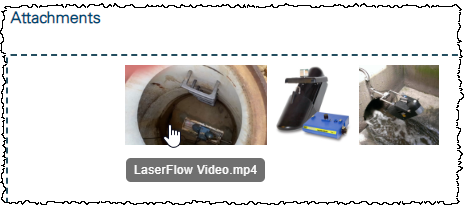
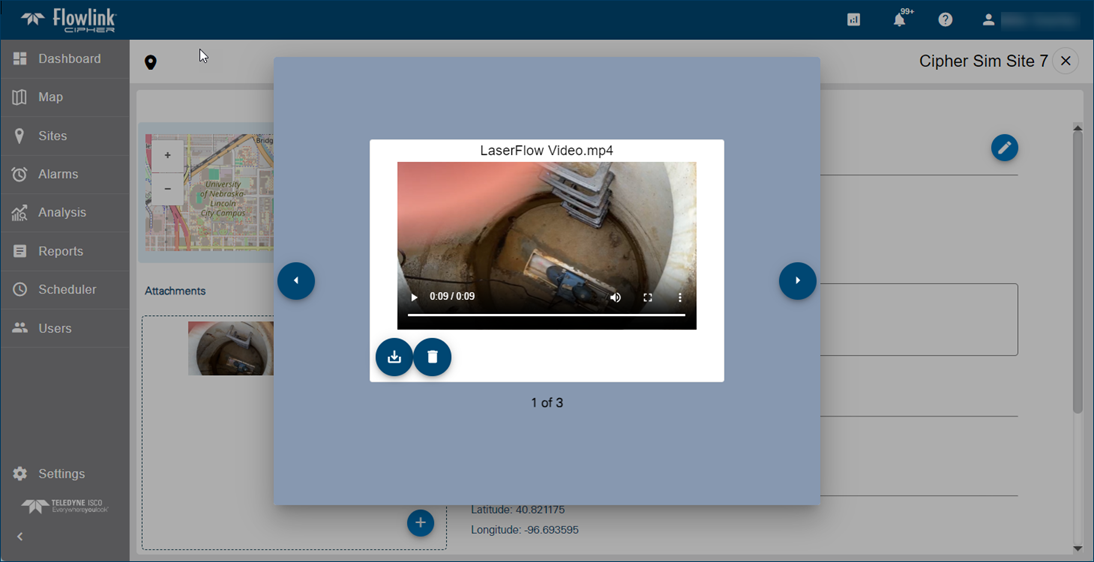
| It is now possible to add a video file to a site as an attachment. The video formats supported are .mp4 and .mov.
|
Maintenance
Flowlink Cipher
Dashboard | |
| Dashboards that were copied from shared dashboards would sometimes lose gadgets following a refresh of the browser. This has been fixed. |
| The graph selection drop-down list in Graph gadgets on the dashboard is supposed to display each graph by its name followed by a hyphen and the graph description, if a description has been populated for the graph. The list was incorrectly displaying the hyphen for all graphs even if the graph did not have a description populated. This has been fixed. The list no longer displays a hyphen for graphs that do not have a description. |
Events | |
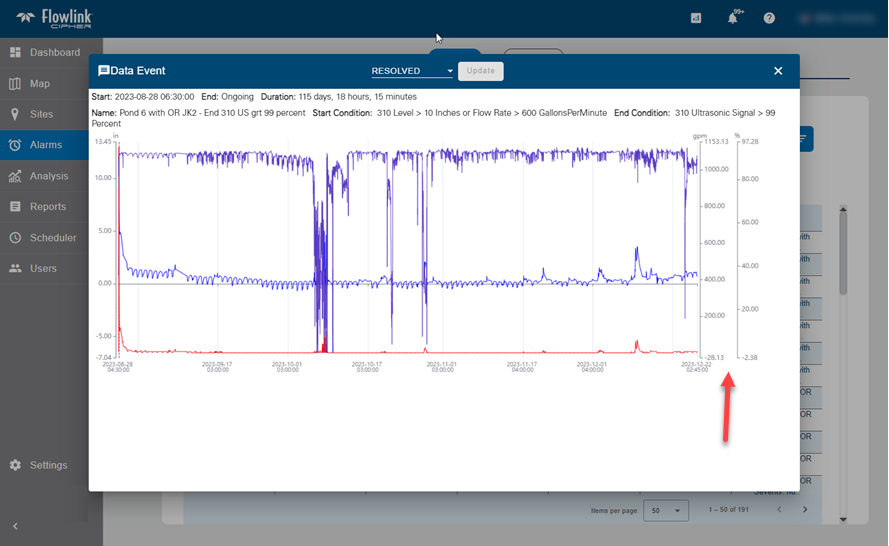
| In the Data Event dialog box, if there were multiple conditions for the alarm that required additional Y-axes on the right side of the graph, the axes were not fully visible in the display. This has been fixed.
|
Export | |
| The Export to CSV function in the main graph screen was failing when the 'Include summary table' option was used for a graph that included a quantity that did not have data within the time period of the graph. This has been fixed. |
Graphs | |
| In the Configure graph screen, the display properties dialog box for Flow Rate type quantities was including the Statistical Function SUM as an option in the Operator drop-down list instead of VOLUME. This has been fixed. |
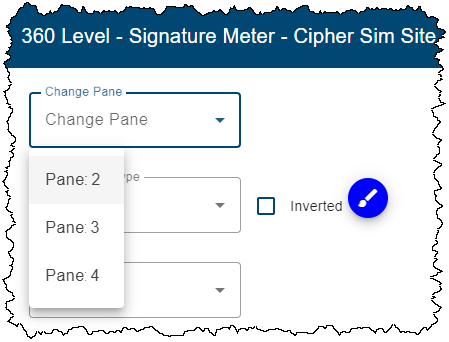
| Graphs would become unresponsive when using the Change Pane option in the graph display properties. This has been fixed. |
| The Total volume value that appeared in the legend for Flow Rate quantities was not matching the value that appeared at the bottom of the graph table. This has been fixed. |
| The units indicator for the Flow Rate Total value in the graph legend was using Flow Rate type units (e.g. gpm) instead of Volume type units (e.g. gal). This has been fixed. |
| Notes applied to quantities in the top pane of a graph were being partially hidden by the legend. This has been fixed. |
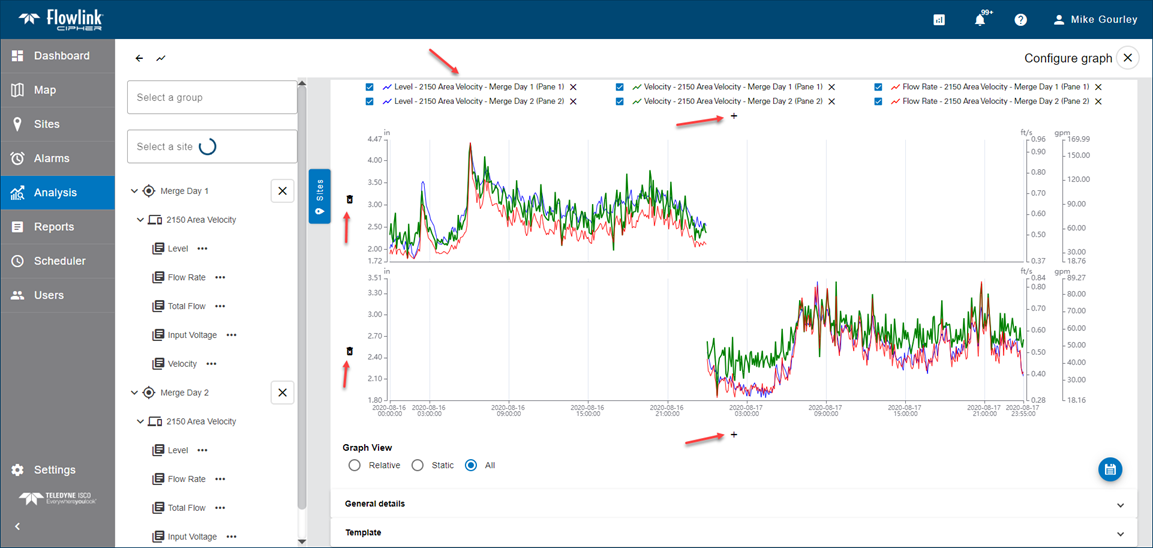
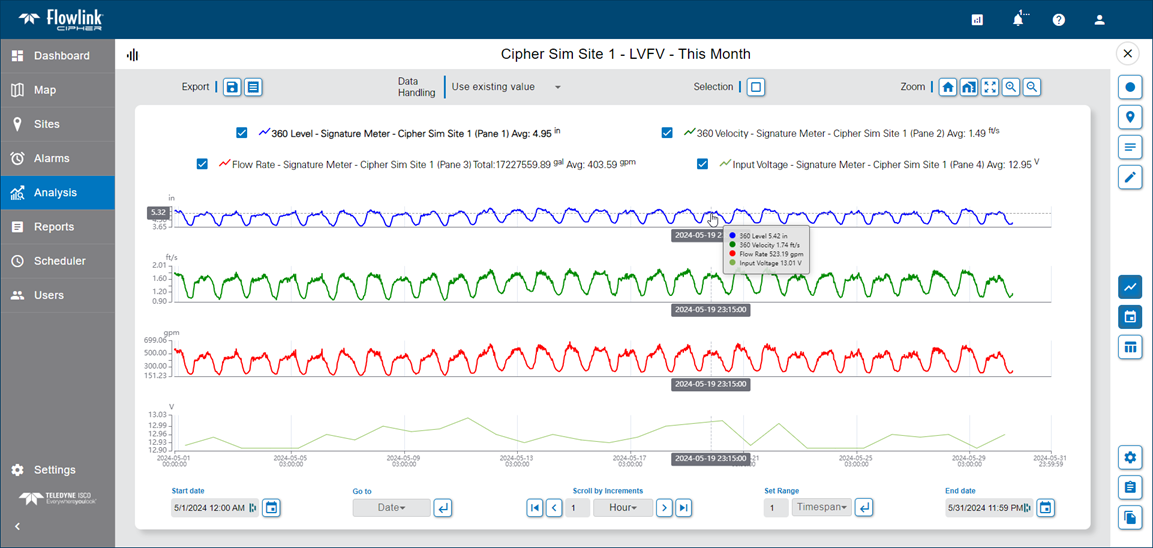
| The size of the text in the legend was reduced to a size that was too small in a previous release. The size of the text has been increased and the buttons in the graph configuration screen for adding and removing panes were also increased.
|
| When the user zooms the browser up to 125%, the timestamp annotations along the X-axis will now remain visible. |
Reports | |
| When creating a new report from a template using the 'Pick site' function, the Reports wizard was no longer automatically selecting quantities with names that match the quantity names recorded in the template. This has been fixed. |
| In the last step of the Reports wizard, after the Preview has been executed, the option to download the report without first saving it to the database was not working. This has been fixed. |
| The Reports Preview would fail in some cases when the report was started from the "pick site" or "edit template" functions in the report templates table. This has been fixed. |
| The Reports Preview would fail in some cases when the Relative time range scale selected was based on the current time: Last 24 hours, Last 48 hours, Last 72 hours, Last 7 days, Custom. This has been fixed. |
Scheduler | |
| When creating or editing a job in the Scheduler, if neither the PDF or the CSV options were checked, a red error message would be displayed but without text. This has been fixed. |
Sites | |
| Site information screens would not load as expected when a quantity was deleted from a site that was previously used to trigger alarms and generate Data events. This has been fixed. |
User Accounts | |
| The date and time of the last access by each user account was not working and displayed as 'n/a' on the user cards. This has been fixed. |
| The image file selected for a user's avatar was not maintaining the aspect ratio of the image when viewed in various locations in the application. This has been fixed. |
1.7.5
August 2024
Enhancements
Flowlink Cipher
Events | |
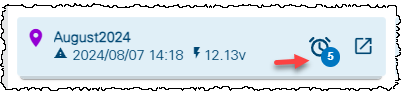
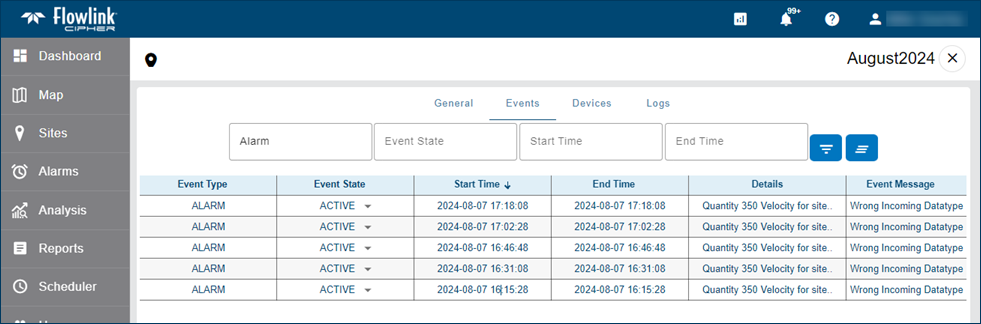
| When data is ingested into an existing site in Cipher and there is a mismatch of data type for an existing quantity, a new Alarm event will now be generated. The event will appear in the Events tab of the site information screen. The event will also appear as an increase in the alarm count on the site card and in the Alarms gadget on the dashboard.
|
Maintenance
Flowlink Cipher
Graphs | |
| In some cases, attempting to open an existing graph would display the loading animation, but the graph would not open and the animation would not stop. These graphs were missing information about their tenant. This has been fixed and the graphs should now open. |
Ingestion Service | |
| The ingestion service was allowing duplicate events to be created in the database, which was causing some performance issues in the system due to the large volume of History events. This has been fixed. |
Sites | |
| A site with identical quantity names in more than one device was previously ingesting data incorrectly. The identical quantity names were interpreted as coming from one device only and the result would appear in the graph as if one device was missing data. This ingestion problem has been fixed.
|
1.7.4
August 2024
Maintenance
Flowlink Cipher
Events | |
| Previously, a Global user account was not able to see the events for a site in a non-Global tenant when filtering the Alarms screen table unless a specific site was included in the filter. This has been fixed. |
Sites | |
| A previous release experienced a degradation in performance of retrieving data from the database due to a bug in how data was queried for sites included in site groups. This has been fixed and performance has been returned to the previous level. |
Tenants | |
| In a previous release non-Global users in a tenant were receiving notification emails about sites in the Global tenant. This has been fixed. |
1.7.3
August 2024
Maintenance
Flowlink Cipher
Alarms | |
| In the previous release a user assigned to a non-Global tenant was able to see all of the events from all tenants in the Alarms screen table. This has been fixed. |
1.7.2
July 2024
Enhancements
Flowlink Cipher
Export | |
| The drop-down list for selecting quantities to include in the Sites > Export process now includes the name of the device for each quantity. This is necessary when a site has more than one device with the same quantity names.
|
General Application | |
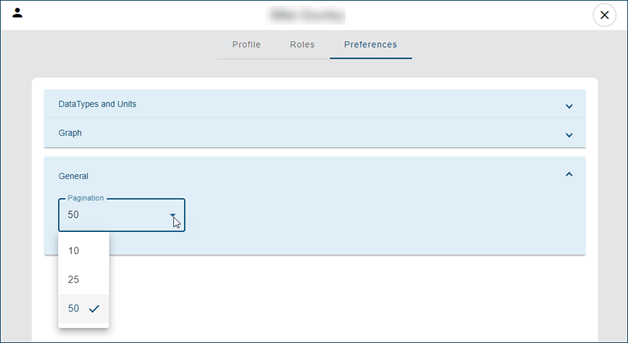
| A new Pagination option has been added the User Preferences tab to control the amount of rows displayed in each page of a table. The default value is 10, and can be increased to 25 or 50. The preference is applied to several screens that contain tables of data including alarms, events, reports, templates and the scheduler table.
|
| Performance has been improved in several functions that retrieve information about sites and quantities. This includes site export, creating alarm settings, creating a new graph, creating reports and the dashboard. |
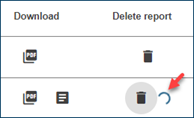
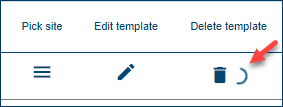
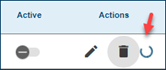
| A "processing" indicator has been added to the following Delete functions to indicate to the user that the delete request was received and is ongoing: - Delete graph
- Delete report
- Delete report template
- Delete scheduled job
|
Graphs | |
| Opening and closing the display properties in the Configure graph screen was always causing the graph to be redrawn even when no display properties were changed. This has been fixed, the graph no longer redraws if there were no changes to the display properties. |
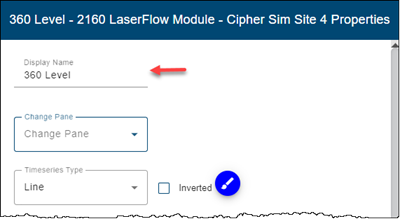
| The Display Properties dialog box has a new option to define the 'Display Name' for the quantity in the graph. This option is used to change the name of the quantity as it appears in the graph legend, graph tooltip, graph table, and the exported PDF/CSV outputs. This option does not change the name of the quantity in the database, it only changes the name as it appears in the individual graph.
|
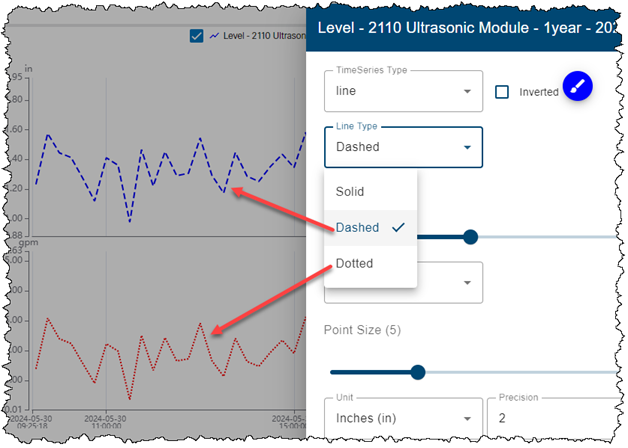
| The display properties for each quantity in the graph have been updated to include a 'Line Type' setting with new options for 'Dashed' and 'Dotted' lines.
|
| The minimum line width for a dataset in a graph is now 0.1. Previously, the minimum value allowed was zero, which caused the graphed line to disappear. Also, the minimum point symbol size is now 1, where previously it was zero. |
| The display properties for each quantity in the graph now includes a field to select the pane for the quantity. This new option can be used after the quantity has been added to the graph if the quantity needs to be moved to a different pane.
|
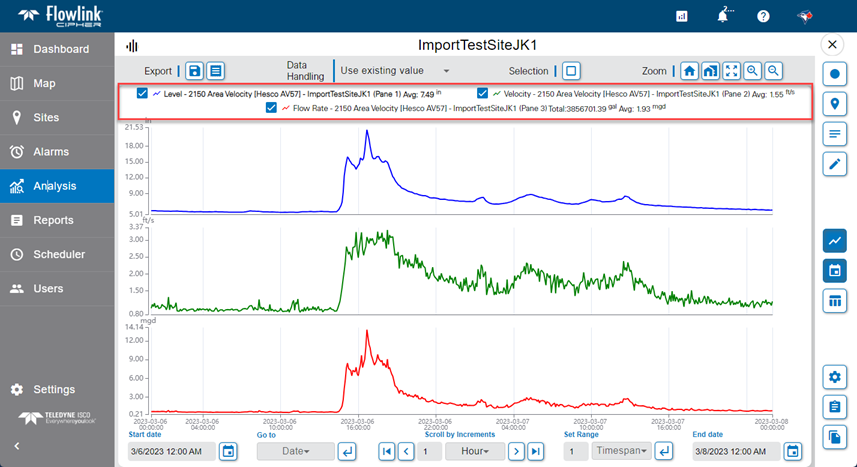
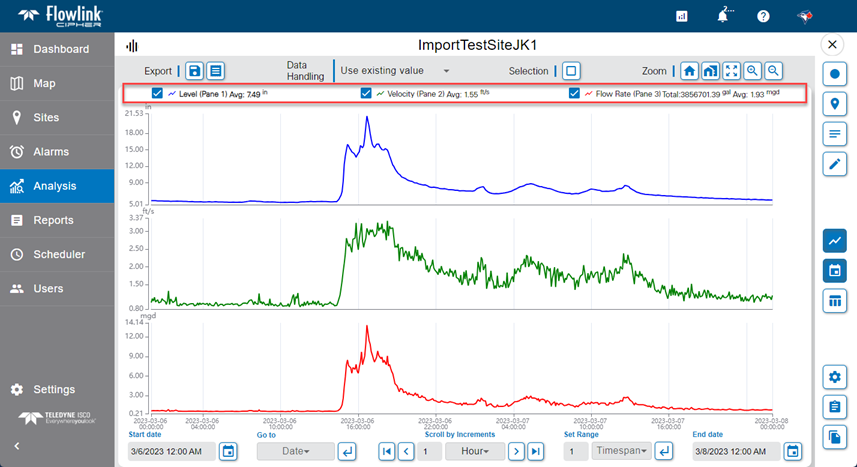
| A new 'Reduced Legend' option has been added to reduce the amount of information in the legend. When the option is enabled, each quantity in the legend contains only the name of the quantity, while the site and device names are removed. This new option can be found in: - User preferences (off by default) - Graph display properties Reduced Legend is OFF
Reduced Legend is ON
|
| The amount of unused space in the main graph screen has been reduced to allow more of the space on the screen to be used for plotting the data in the graph panes. This includes reducing the space used by the legend, the space between panes, and the space along the bottom and sides of the graph area. The difference is visible in this pair of BEFORE and AFTER images. BEFORE:
AFTER:
|
Map | |
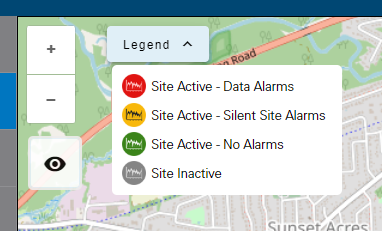
| A legend has been added to the Map screen. Clicking the down arrow on the new control will display the legend indicating the meaning of each color for site symbols.
|
Notifications | |
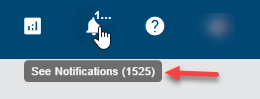
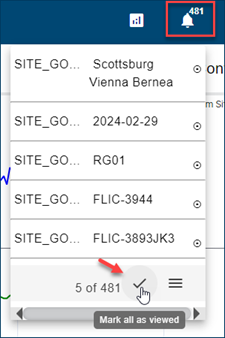
| The tooltip for the Notifications tool in the toolbar at the top of the screen now displays the total count of notifications.
|
Reports | |
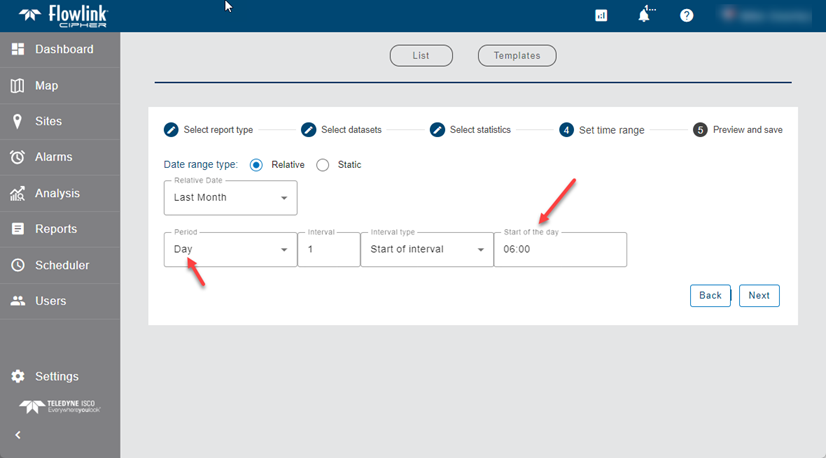
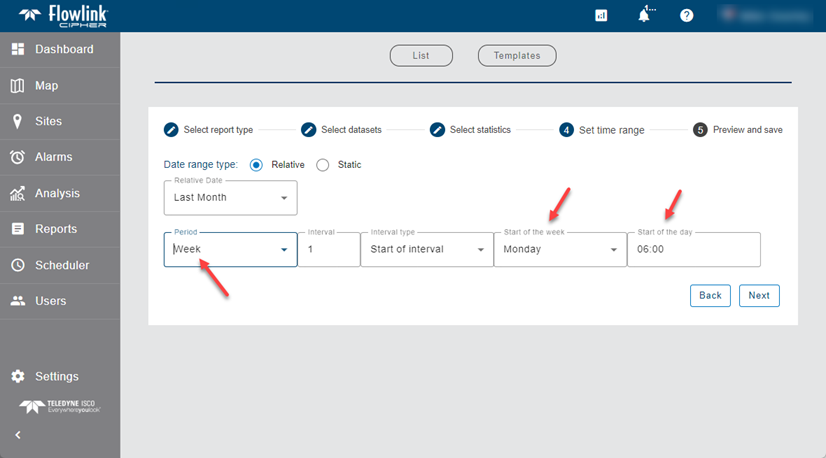
| The Reports functionality has been updated to allow the user to define a 'Start of the day' other than midnight and a 'Start of the week' other than Sunday. The Preferences tab of the user Profile page already has settings for 'Start of the day', which defaults to midnight, and 'Start of the week', which defaults to Sunday, however these can now be overridden using new options in the Reports wizard. In Step 4 of the wizard, when selecting a time range and a statistics period that requires the use of 'Start of the day' and/or 'Start of the week', new controls will now appear that will default to the current user preferences but can be changed as needed. These settings will control how the statistics are compiled for daily and weekly statistic intervals. The settings used for 'Start of the day' and 'Start of the week' will be recorded in the template when the user saves the generated report as a template for use by the Scheduler. It is important to note that any existing template will need to be edited to include settings for 'Start of the day' and 'Start of the week' if the user wishes to apply these settings in any current job in the Scheduler. Step 4 with 'Start of the day'
Step 4 with 'Start of week' and 'Start of the day'
|
Settings | |
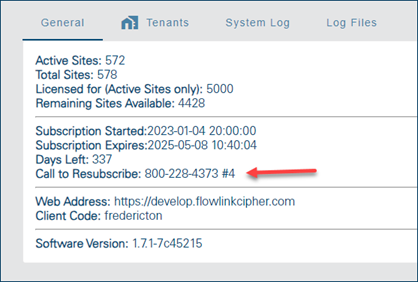
| The phone number to call to resubscribe to Flowlink Cipher has been added to the Settings > General screen.
|
Sites | |
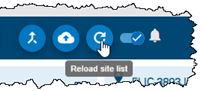
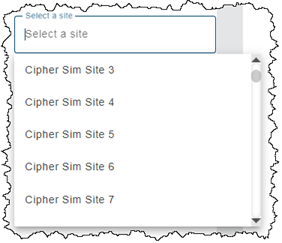
| The 'Reload Site List' function on the Sites screen will now reload all of the site lists used in the application. Previously, only the site cards displayed on the Sites screen were updated. Now the 'Select a site' drop-down list that appears in multiple screens will also be updated by the 'Reload Site List' function.
|
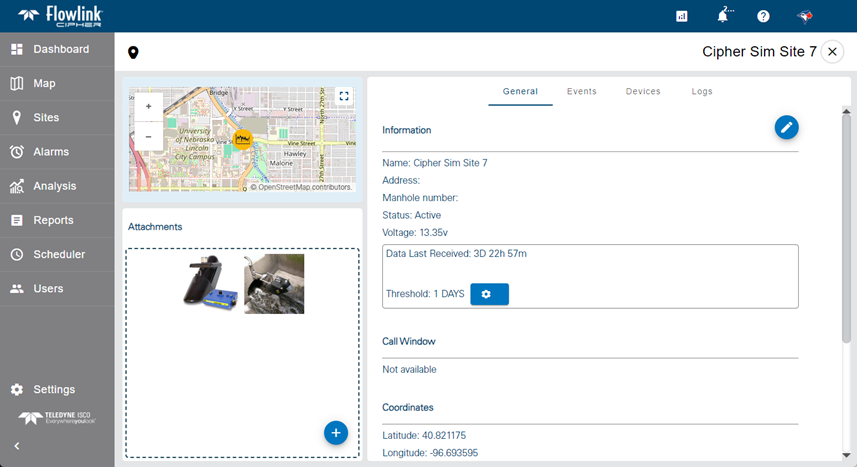
| The amount of unused space on the site information screen has been reduced. The empty space at the top, bottom and sides of the screen has been reduced. The size of the map inset has been increased.
|
User Accounts | |
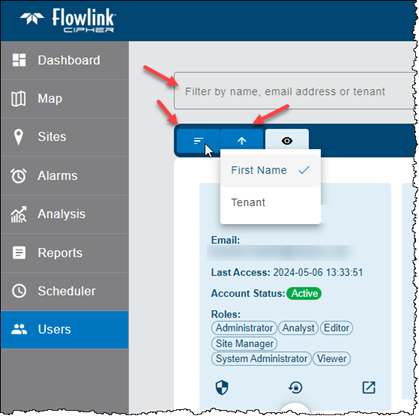
| The Users screen now provides more filtering and sorting options. - sort by First Name or Tenant - sort ascending or descending - filter by name, email address or tenant
|
Maintenance
Flowlink Cipher
Dashboard | |
| Clicking on the name of a site in an Alarm gadget will now display the Events tab of the site information page with the table filtered for Data type events. Previously the Events tab would open but the table was not filtered, this has been fixed. |
| Clicking a site name in a Silent Site gadget was opening the site information screen with the General tab displayed instead of the Events tab, as is done when clicking a site name in an Alarms gadget. This has been fixed. Clicking a site name in either a Silent Site gadget or an Alarms gadget will now consistently open the site information screen with the Events tab displayed. |
Export | |
| With the updates to the user interface in the previous release, the vertical scroll bar in the Sites > Export screen was missing when the expanding panels of quantities were opened. This has been fixed. |
General Application | |
| A typographical error has been corrected in the EULA (End User License Agreement) which appears in the login screen when creating a new user account and in the About dialog box. The EULA now correctly says: "The license granted hereunder shall continue unless and until terminated pursuant to this Section 9." |
Graphs | |
| Previously, in the graph configuration screen, when a computed dataset was added to a graph, the data that was already visible in the graph would not appear when the graph was redrawn. This has been fixed. |
| In the display properties dialog box, the 'Add Horizontal Lines' option would not accept and save a value of zero. This has been fixed. |
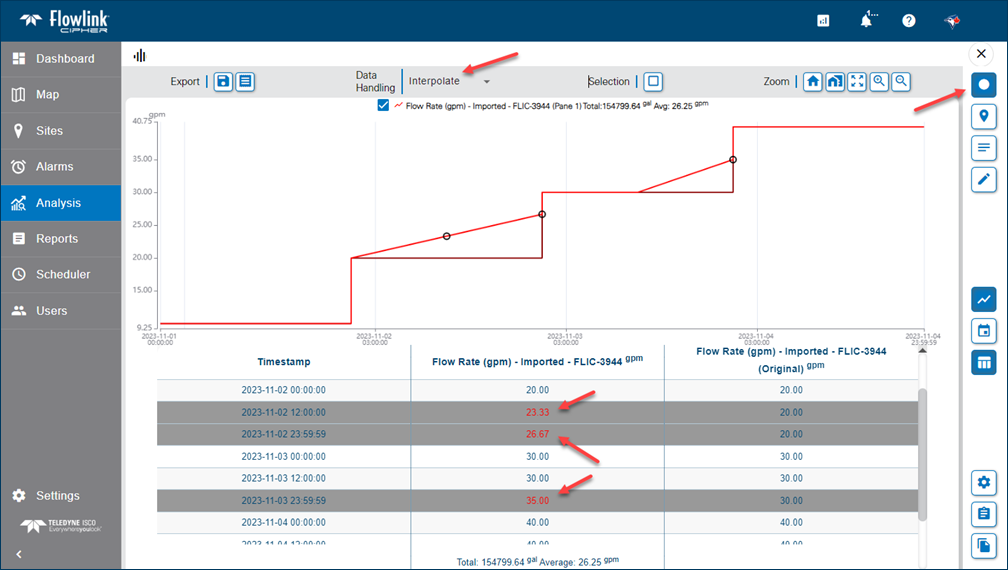
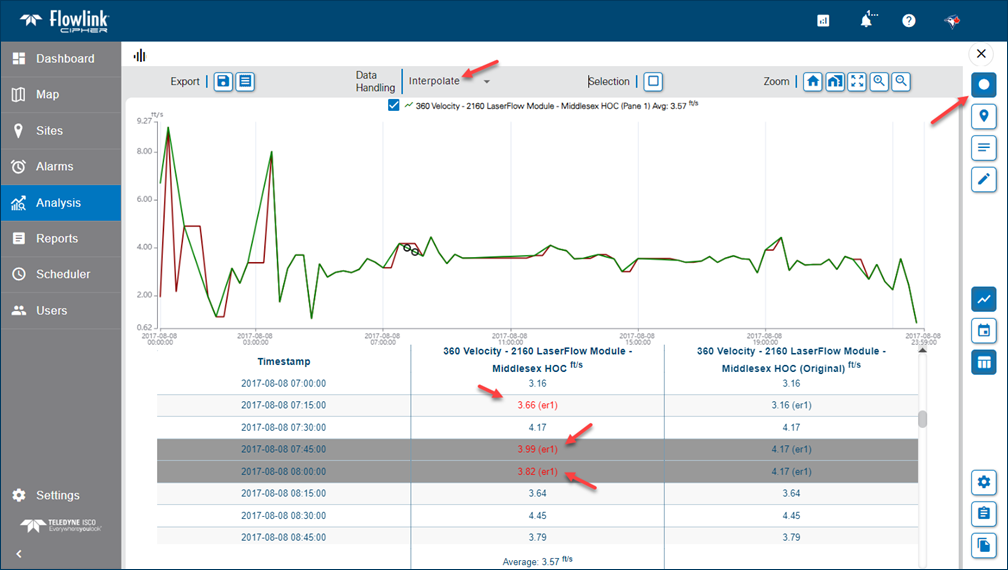
| Rejecting a point in Edit mode would sometimes temporarily display the value of the point as zero. This has been fixed. The rejected point is now displayed in the table with the correct value in red color. Also, the rejected point will display in the graph and the table according to the Data Handling settings.
The red color in the graph table is also applied to points with error codes.
|
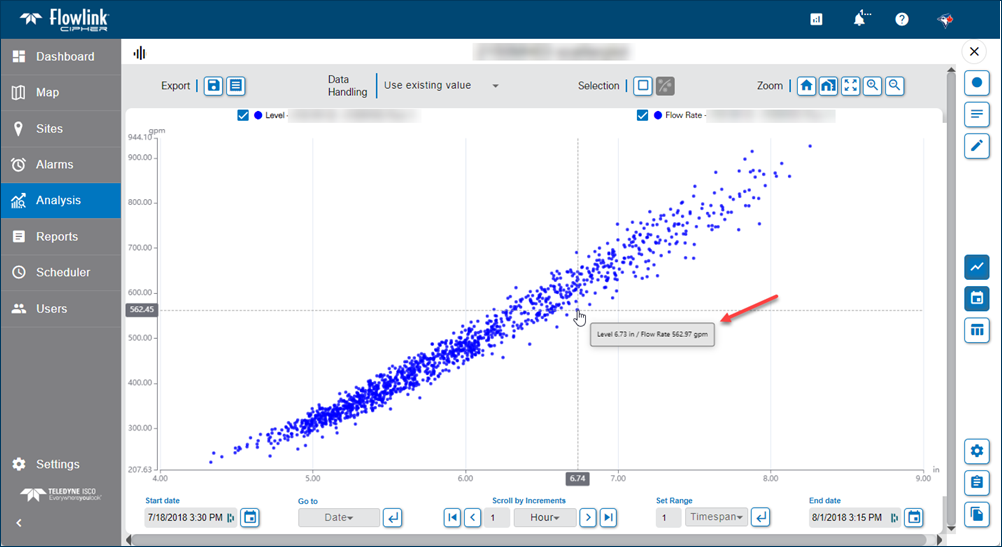
| Moving the cursor around a scatterplot graph would sometimes display the text "undefined" in the tooltip. This has been fixed. The tooltip now only appears when the cursor is hovering over a point. Also, the tooltip text has been updated to display the quantity names and values for each axes separated by a slash character.
|
| The units indicator for the quantity in the Y-axis of a scatterplot graph was displaying the units for the quantity in the X-axis. This has been fixed. |
| When a quantity name contained a dash character (e.g. FlowRate-A), the quantity name displayed in the tooltip only included the portion of the name before the dash, the dash and the characters after the dash were removed. This has been fixed. |
Notifications | |
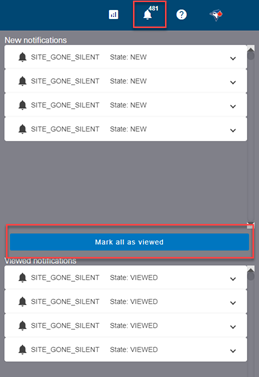
| The performance of the Notifications system has been improved. Previously, the 'Mark all as viewed' list in the Notifications sliding panel would load all of the user's notifications, regardless if they were already marked as viewed. Now the list only populates the notifications from the last 7 days that have not been marked as Viewed. Also, the 'Mark all as viewed' function processing has been improved.
|
Scheduler | |
| Deleting a job from the Scheduler would sometimes result in the deleted job reappearing in the Jobs list and, in some cases, also previously deleted jobs. This has been fixed. |
Sites | |
| The 'Select a site' field in the Configure graph screen, and other screens that use the same site selection method, was previously selecting sites with a case insensitive method. This caused a problem for sites with the same name but different uppercase and lowercase characters. This has been fixed and site names are now case sensitive. For example, a site "test" is a different site than "TEST". Site names are created during data ingestion using the site names established in the meters and the case of the characters must be maintained. |
| Exporting temperature data to CSV did not correctly record the units indicators in the CSV header. This has been fixed. The temperature units are now correctly recorded as °C or °F. |
| When attempting to change the name of a site, the new name would not be accepted and recorded by Cipher. This has been fixed. |
| Sites were being created incorrectly with no value set for the tenant. This resulted in multiple function failures, such as the 'Graph from site' on the dashbboard, the 'Level, Velocity and Flow Rate from site' on the site card, and the function to activate an inactive site. This has been fixed. New sites created will now always have a tenant value set as seen in the site information screen. |
| The Sites > Merge Datasets operation was generating error messages in the Jobs queue drop-down list even if the merge was successful. This has been fixed. |
User Accounts | |
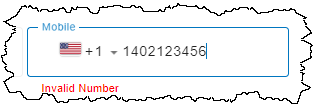
| An error message "Invalid Number" now appears while the user is entering the Mobile number for an account. The message disappears when a valid number has been entered for the country selected.
|
1.7.1
June 2024
Maintenance
Flowlink Cipher
Export | |
| The Sites > Export function was using commas as separators in large values (thousands, millions, etc.) when exporting to CSV. This resulted in Microsoft Excel interpreting a large value as multiple values. This has been fixed. Commas will no longer be used as separators to the left of the decimal point. |
1.7.0
May 2024
Enhancements
Flowlink Cipher
General Application | |
| Flowlink Cipher 1.7.0 includes an upgrade of the library that provides many of the user interface elements such as buttons, selection lists, fonts, etc... Upgrading the library was necessary to provide new features for this release, such as editing of the Scheduler jobs. Here are two examples of how the user interface elements will look different than previous versions of Cipher.
|
Map | |
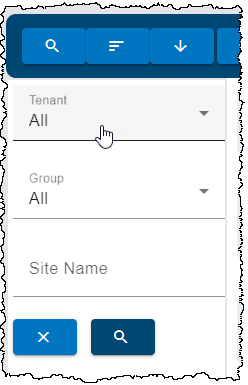
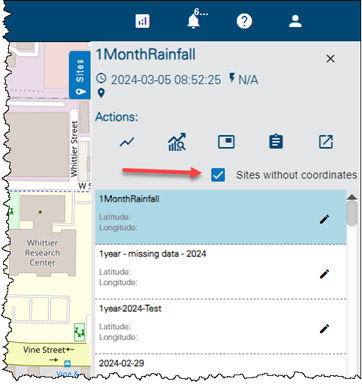
| The Sites panel in the Map screen now has a "Sites without coordinates" filter option. Enabling this option will filter the site list to show only those sites that are missing one or both of Latitude and Longitude.
|
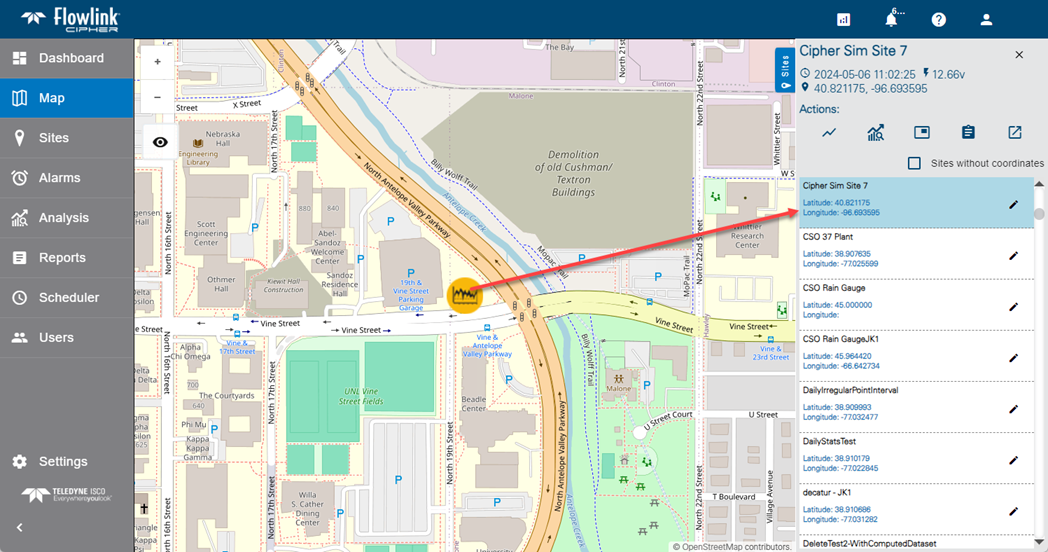
| Clicking on a site icon on the Map screen will now automatically scroll the site list to the site associated with the selected icon and highlight that site in the list.
|
Notifications | |
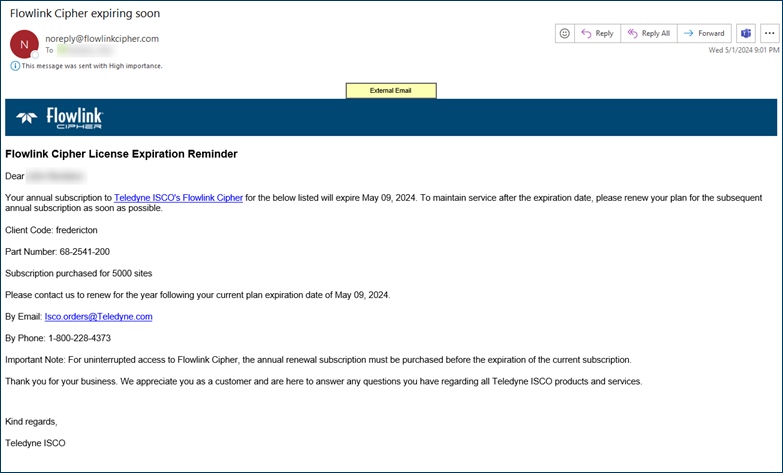
| Notification emails about upcoming license expiry dates will now be sent to all users with the System Administrator role.
|
Reports | |
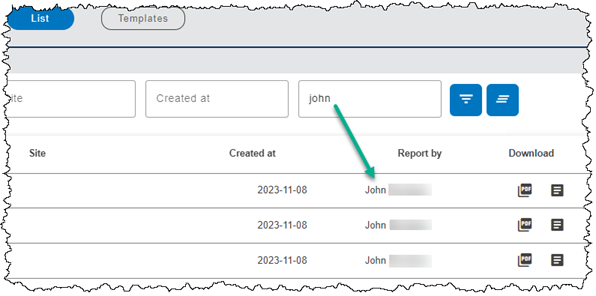
| In the Reports > List screen, the 'Report by' filter field is now case insensitive.
|
Scheduler | |
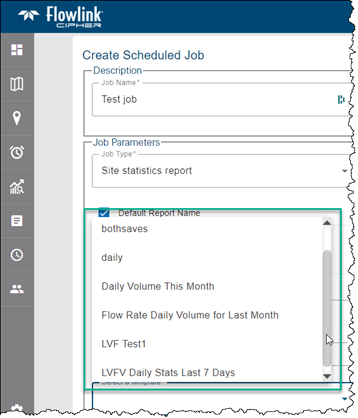
| In the Create Scheduled Job screen, the drop-down list of available templates is now sorted alphabetically.
|
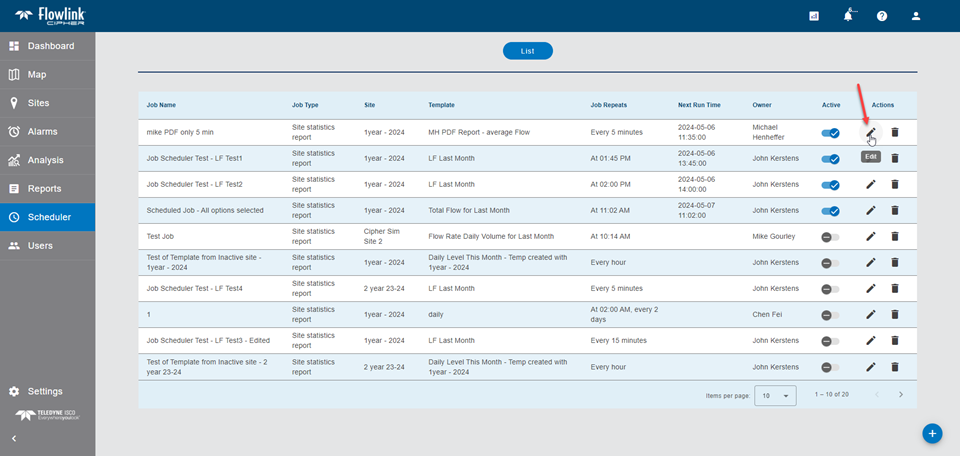
| The Scheduler now provides an Edit function for modifying existing scheduled jobs. Previously, a scheduled job could not be modified, which required deleting and recreating the job if a parameter of the job needed to be changed.
|
Sites | |
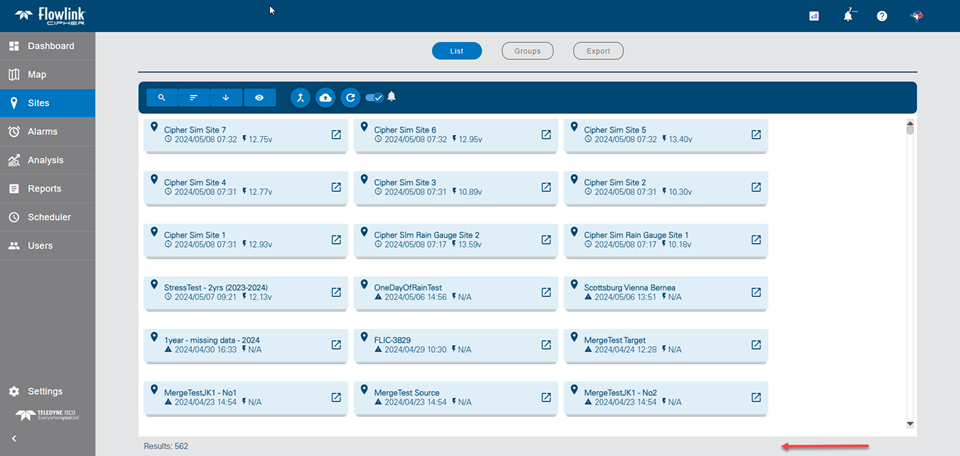
| The amount of unused space on the bottom of the Sites screen has been reduced. More site cards are now visible.
|
User Accounts | |
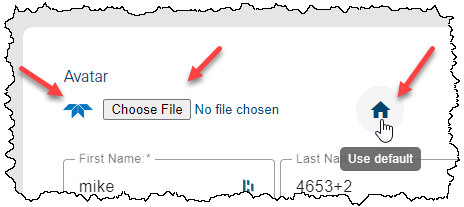
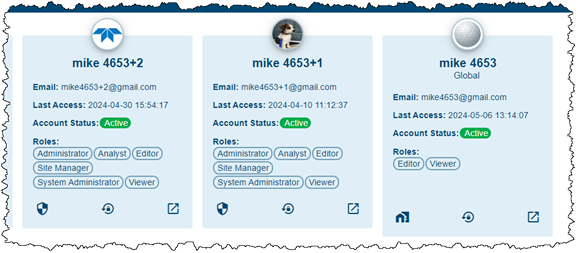
| Users can now add an avatar image to their profile. To do this select an avatar image and use the existing Save button on the Profile screen to save the change. The selected image will be displayed on the user card and as the symbol for the Profile button in the toolbar at the top of the screen. The "Use default" function will revert to the default icon when followed by a Save.
|
Maintenance
Flowlink Cipher
Alarms | |
| Alarms and Data events were being triggered by points with error codes during data ingestion and in the Analysis > Search function. This has been changed. Points with error codes will now be ignored when evaluating points against the defined alarm conditions. |
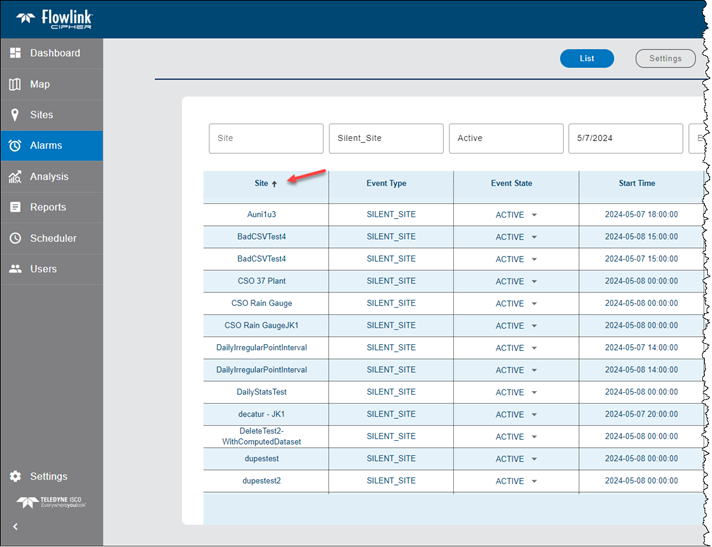
| Sorting the Alarms screen table by site was sorting using internal site IDs and not the site names. This has been fixed. As seen in the image below, the Alarms screen is sorted alphabetically by Site name (ascending), as expected.
|
Dashboard | |
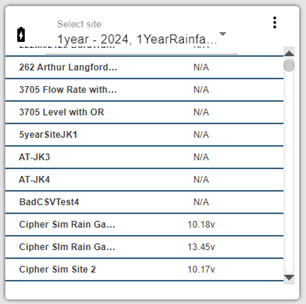
| The site list in the Battery gadget on the dashboard is now sorted by site name ascending by default, like the Alarms and Silent Site gadgets.
|
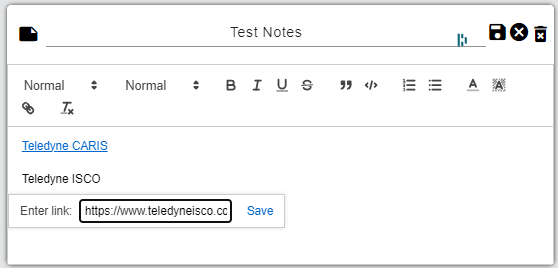
| When editing the text of a Notes gadget on the Dashboard, the widget for creating and editing hyperlinked text is now fully visible on the gadget.
|
Export | |
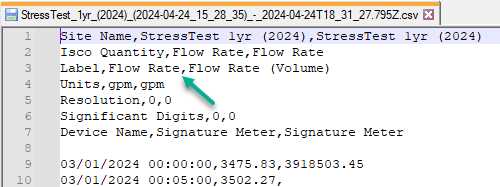
| The Export graph to CSV function was adding a set of empty parentheses to the Label of the quantity in row 3 of the CSV header. This would occur when the quantity did not have a statistics function applied. This has been fixed. In the image below there are two Flow Rate type datasets, where the first is the original Flow Rate data and the second is Flow Rate with the Volume statistic applied.
|
Graphs | |
| Since the introduction of the Data Consumer for the ingestion of new data, the correct unit conversion for the "original datastream" was not applied. If the incoming data was based on a unit that did not match the internal database unit for the data type, this would result in the "Toggle Original Data" option in the main graph screen not drawing the original data for edited points with the correct original value. This has been fixed. The fix is applicable to data ingested from this point forward. |
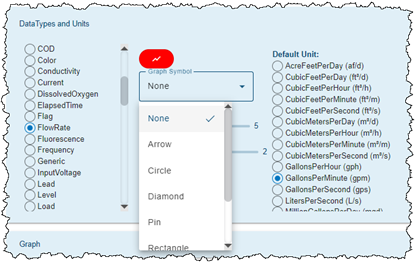
| The Graph symbol and Symbol size settings in the Preferences tab of the User Profile page were not applied correctly in the Graph view or the Display Properties. This has been fixed.
|
| The Cancel button on the 'Export to CSV' function in the main graph screen is now working as expected. Previously the function would still export the CSV file. This has been fixed. |
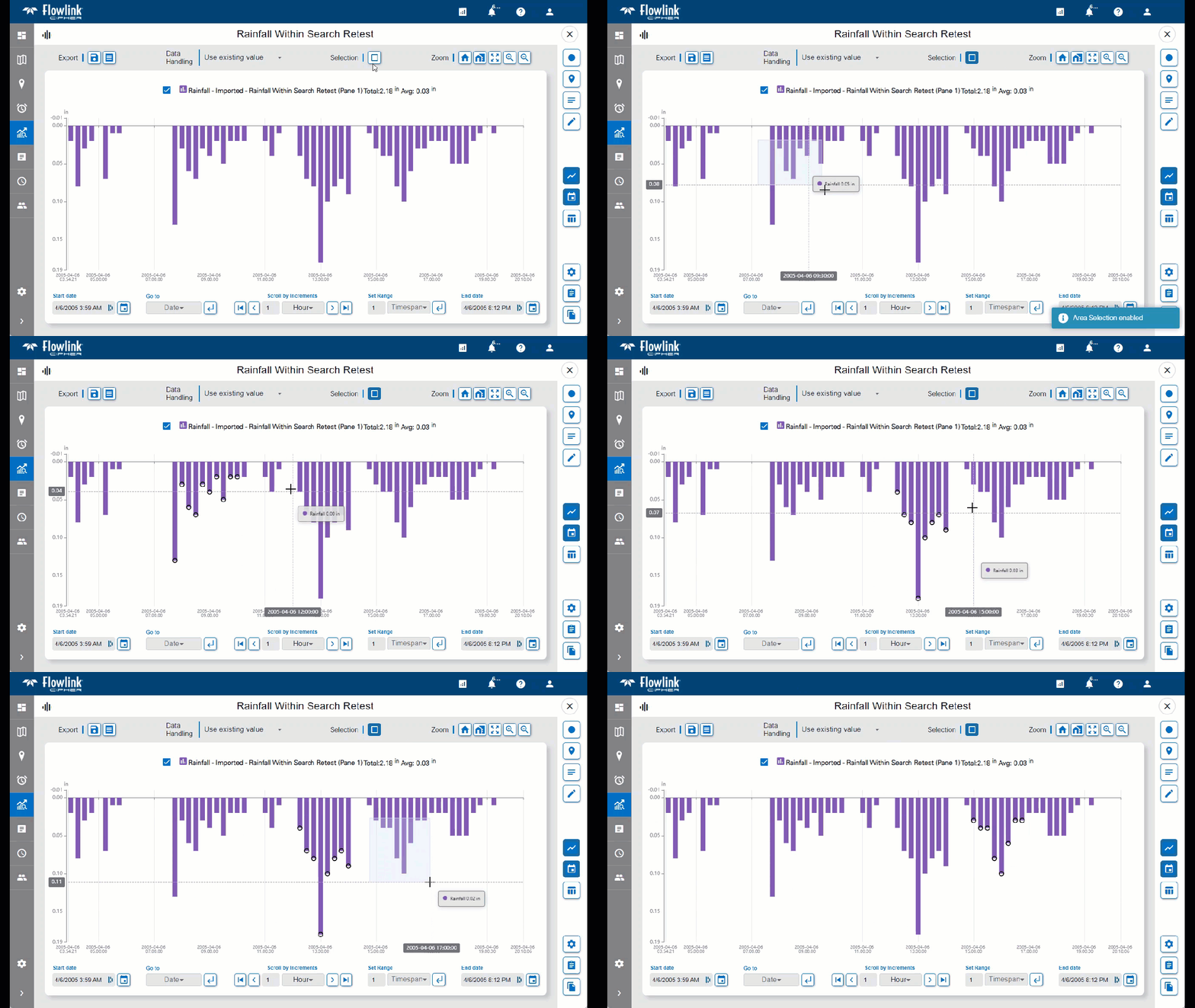
| The Select points by rectangle function now works on the inverted bar charts of a Rainfall graph.
|
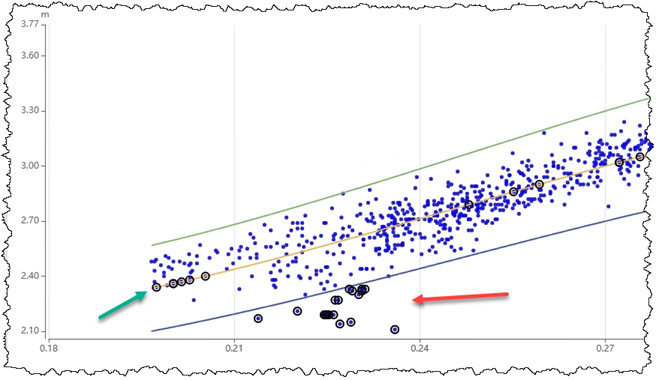
| The scatterplot edit functions "Fit to center" and "Fit to limit" in the X-axis direction were not always moving the points as expected. These functions now correctly check if the selected points have an intersection with the centerline or limit line and will move if the intersection is within the area of the graph. If there is no intersection or the intersection is outside the visible graph, then the points will not move. In the image below, some of the selected points have moved to the centerline and some have not moved as they do not intersect the centerline.
|
| The graph table was not displaying any data for scatterplot type graphs. Also, the Export graph to PDF and Export graph to CSV functions were not working. These functions are all now working for scatterplot graphs. |
Reports | |
| Basic Health Reports, when downloaded, included a timestamp in the filename based on UTC time. This has been changed to now use a timestamp based on local time, which is consistent with a recent change to the timestamps used in the filenames of Site Statistics Reports, which also use local time. |
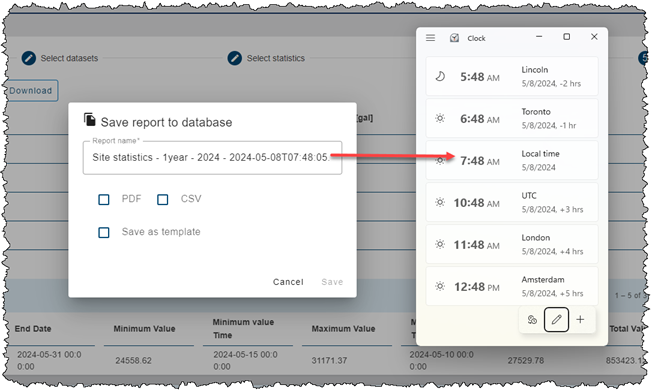
| In the Create New Report wizard, the "Save report to database" function will now use the local time as part of the suggested filename for the report. Previously it was using UTC time. Local time is already used as the timestamp for the suggested filename in the Scheduler.
|
Templates | |
| The owner of the default graph template can no longer accidentally delete the template. The "Level, Velocity, Flow Rate template" is the system default template that is used by the "quick graph" functions on the dashboard and the site cards. It is important that this template is not deleted.
|